

How to Choose the Right Virtual Assistant Package for Your Business
Choosing the right virtual assistant package is not simply about finding the lowest monthly price. The right option should match the work you need completed, the hours required, the skills involved and the level of support your business expects.
For Australian businesses, a well-matched package can make remote support easier to manage and more useful from the beginning. Before comparing virtual assistant packages in Australia, it helps to understand what should be included and which factors matter most.
Start With the Tasks You Want to Delegate
Begin by listing the tasks that regularly take time away from higher-value work. These may include inbox management, calendar coordination, data entry, document preparation, CRM updates, customer follow-ups, bookkeeping support, social media administration or basic technical tasks.
Group these tasks by frequency. Identify what needs to be handled daily, weekly and occasionally. This gives you a clearer picture of the support required.
A business looking for virtual administration support will usually need a different skill set from a company seeking virtual IT support services. Your package should be built around the role and workload, rather than choosing a plan first and trying to make the work fit it.
Estimate the Hours You Actually Need
Many virtual assistant packages are based on a set number of hours each week or month. Estimate how much work you can realistically delegate before choosing one.
If you only have a few repeatable tasks, limited support may be enough. If your assistant will manage ongoing administration, customer communication or operational tasks, a more consistent schedule may be more suitable.
When reviewing virtual assistant pricing, confirm whether the included hours are fixed or flexible and what happens if your workload changes.
The lowest virtual assistant cost is not automatically the best choice. Better value comes from having enough productive time assigned to work that genuinely saves your team time.
Match the Package to the Skills Required
Not every virtual assistant role requires the same experience.
General administration may involve scheduling, data entry and document management. Finance support may require experience with accounting software. Sales support could involve CRM management, lead follow-up and reporting. Technical roles may require knowledge of specific systems or platforms.
Think about the tools your assistant will need to use as well. These could include Microsoft 365, Google Workspace, CRM software, accounting platforms, project management systems or industry-specific applications.
Ask how candidates are screened, what experience is checked and whether you can interview shortlisted assistants. A clear skills match reduces the risk of paying for enough hours but not getting the capability your business needs.
Understand What the Service Includes
A virtual assistant service may include more than access to a remote worker. Depending on the provider and engagement model, it can also involve candidate sourcing, screening, onboarding support, account management, HR administration and replacement arrangements.
This is an important difference between hiring an independent freelancer and choosing a managed virtual assistant provider.
A freelancer may work well when your business is comfortable handling recruitment and performance management internally. A managed arrangement can suit businesses that want more support with finding, integrating and managing a remote team member.
If you plan to hire virtual assistants, compare the complete service model rather than looking only at the advertised monthly fee.
Check Working Hours and Communication
Australian businesses should confirm when the assistant will be available and whether those hours match the needs of the internal team.
Some tasks can be completed independently. Others, such as appointment scheduling, customer support or lead follow-up, may require regular availability during Australian business hours.
Ask which communication tools will be used, how tasks will be assigned and how progress will be reported.
It is also worth deciding how often you want updates. Some businesses prefer a daily summary, while others may only require a weekly progress report.
Setting these expectations early helps the assistant become part of the normal workflow rather than operating separately from the rest of the team.
Review Security and System Access
Before an assistant starts, consider which systems and information they genuinely need to access. This may include email, cloud folders, CRM platforms, finance software or customer records.
Limit access to what the role requires.
It is also useful to ask about confidentiality arrangements, approved devices, password practices and account access procedures. Where possible, businesses should use individual accounts, appropriate permission levels and secure password management rather than sharing unrestricted login details.
Businesses in regulated sectors may need additional controls or professional supervision depending on the tasks being delegated.
Look for Flexibility as Your Business Changes
Your support needs may change over time. A business might start with routine administration and later require customer support, sales assistance, marketing help or finance administration.
Before committing, check whether hours can be adjusted, whether the role can change and what happens if you need a different skill set later.
Also review notice periods, replacement conditions and any additional fees that may apply.
An affordable virtual assistant Australia option should still give your business enough flexibility to adapt without unnecessary disruption.
Choosing a package that can evolve with your business may reduce the need to restart the recruitment process every time your priorities change.
Compare Outcomes, Not Just Package Features
It is easier to choose between packages when you define the outcome you want.
Instead of focusing only on monthly hours, consider what those hours should achieve. You may want:
- A consistently organised inbox
- An up-to-date CRM
- Faster customer follow-up
- Accurate weekly reports
- Better calendar management
- Fewer repetitive tasks sitting with senior employees
Clear outcomes make it easier to review performance after onboarding.
A slightly higher-priced package that provides the right skill match, suitable working hours, and stronger support may create more value than a cheaper package that requires constant supervision.
Choose a Package That Fits the Way You Work
The right virtual assistant package should fit your workload, systems, required skills, preferred hours and management style.
Start with the tasks you want to delegate, estimate the time they require and identify the experience needed. Then compare what each provider includes around recruitment, onboarding, communication and ongoing support.
Price matters, but consider it alongside capability, flexibility, and the overall working arrangement.
The goal is not simply to buy a set number of remote working hours. It is to build a support arrangement that removes repetitive work, fits into your existing processes and gives your internal team more time to focus on higher-value responsibilities.
Ready to Find the Right Virtual Assistant Package?
Kredence Global helps Australian businesses build dedicated remote support across administration, finance, sales and marketing, IT, legal operations, social media and customer service.
Speak with Kredence Global about the tasks you want to delegate, the hours you need and the skills required. We can help you explore a virtual assistant arrangement designed around the way your business works.
Virtual Administrative Assistant vs Virtual Admin Assistant: Is There a Difference?
When businesses look for remote administrative support, they often see several similar job titles. Two of the most common are virtual administrative assistant and virtual admin assistant. They may sound like separate roles, but in most cases, they describe the same type of professional.
Both roles focus on managing day-to-day administration remotely. The main difference is usually the wording used by an employer, recruiter or service provider. However, responsibilities, experience and support models can still vary.
What Is a Virtual Administrative Assistant?
A virtual administrative assistant is a remote professional who completes administrative tasks for a business, team or individual. Instead of working in the client’s office, the assistant communicates and completes work through email, cloud storage, project management platforms and video calls.
Typical responsibilities include managing calendars, organising files, preparing documents, updating databases and responding to routine emails. Some assistants also support research, customer follow-ups, expense records and CRM updates.
The role helps remove repetitive and time-consuming work from business owners and internal teams so they can focus on clients, planning and growth.
What Is a Virtual Admin Assistant?
A virtual admin assistant is generally the shortened name for a virtual administrative assistant. “Admin” is simply a common abbreviation for “administration” or “administrative”.
In most job advertisements and service descriptions, the two titles are used interchangeably. One assistant may focus on scheduling and data entry, while another may manage reporting, coordinate projects or support senior staff.
The job description, expected outcomes and experience level matter more than the exact title.
Is There a Real Difference Between the Roles?
In most situations, there is no practical difference. Both roles provide remote administrative support and can complete similar tasks.
“Virtual administrative assistant” may appear in a formal position description, while “virtual admin assistant” may be used in everyday conversation or marketing content.
Some businesses also use the term admin virtual assistant. This is another variation that usually refers to the same role. The wording changes, but the business need remains the same: dependable administration delivered remotely.
Businesses should assess candidates based on skills, experience, communication, software knowledge and ability to follow processes rather than relying only on the title.
Common Tasks They Can Handle
A skilled assistant can support many areas of daily administration, including:
- Managing calendars, meetings and reminders
- Sorting emails and preparing routine responses
- Entering and updating business data
- Preparing reports, presentations and documents
- Organising digital files and cloud folders
- Updating CRM systems
- Conducting online research
- Coordinating appointments and follow-ups
- Tracking tasks and deadlines
The final task list should match the needs of the business. A professional practice may need inbox and appointment support, while a growing service company may require CRM management, reporting and customer follow-up.
Clear priorities help the assistant work efficiently and make performance easier to measure.
When Does the Role Become More Specialised?
General administration is often the starting point, but some assistants develop industry or software-specific skills. They may support legal practices, accounting firms, property businesses, healthcare providers, technology companies or online retailers.
For example, a legal administration assistant may help organise matter files under professional supervision. A finance-focused assistant may support invoice processing and record keeping, while leaving regulated decisions to qualified professionals.
Businesses should separate general administrative duties from work that requires a licence, qualification or professional judgement.
What Are Virtual Admin Services?
Virtual admin services describe the broader service model used to provide remote administrative support. The work may be completed by an independent freelancer, a dedicated assistant or a managed provider.
A managed provider may assist with candidate sourcing, screening, onboarding and ongoing account support. This can suit businesses that want help finding the right person and creating a structured working arrangement.
A freelancer may suit a short project or limited weekly hours. A dedicated assistant may be more appropriate when the business needs consistent availability and familiarity with internal systems.
How to Choose the Right Assistant
Before hiring, list the tasks you want to delegate and group them into daily, weekly and monthly responsibilities. Then identify the software the assistant will use, the hours required and the level of access they need.
Important considerations include:
- Relevant administrative or industry experience
- Written and verbal communication skills
- Availability during preferred Australian working hours
- Experience with your systems
- Data handling and confidentiality practices
- Reporting and performance expectations
It also helps to define clear outcomes, such as maintaining an organised inbox, keeping the CRM updated or preparing reports by a set deadline.
Businesses should hire virtual assistants based on role fit and demonstrated capability, not simply the lowest rate.
Freelancer or Managed Provider?
Independent freelancers can offer flexibility and direct communication. However, the business is usually responsible for recruitment, screening, onboarding and performance management.
Established virtual administrative assistant companies may provide a more managed process, including candidate screening, onboarding assistance and ongoing support.
Neither option is automatically better. The right choice depends on the organisation’s budget, management capacity and preferred level of support.
The Job Title Matters Less Than the Working Relationship
A virtual administrative assistant, virtual admin assistant and admin virtual assistant often perform the same core function. What matters is whether the person understands the business, communicates clearly and completes agreed work accurately and consistently.
A successful arrangement starts with a clear role description, secure system access, realistic expectations and regular feedback. With the right foundations, a remote assistant can become a dependable part of the wider team.
Ready to Improve Your Administrative Support?
Kredence Global helps Australian businesses find dedicated remote professionals for administration and other support functions. The service can include candidate sourcing, screening, onboarding assistance and ongoing account support based on the agreed arrangement.
Speak with Kredence Global about your workload, preferred hours and required skills to explore a virtual administrative support solution suited to your business.

A Business Owner’s Guide To Choosing The Right Virtual Assistant Firm
As a business grows, the small daily tasks often become harder to manage. Emails pile up, appointments need scheduling, invoices need following up, customer enquiries need attention and internal admin can quickly take over the day. This is where many business owners start looking at virtual assistant firms.
The right firm can help reduce pressure, improve productivity and give business owners more time to focus on growth. However, not every provider will be the right fit. Choosing the wrong firm can lead to poor communication, inconsistent work, security concerns and more time spent fixing problems than saving time.
Before making a decision, it is important to know what to look for.
Look For Clear Service Specialisation
A good virtual assistant firm should clearly explain what type of support it provides. Some businesses need general admin help, while others need support with finance, marketing, legal tasks, customer service or IT.
If your business mainly needs help with emails, calendar management, document preparation, CRM updates and day to day coordination, a Virtual Admin Assistant may be the right fit. However, if your needs are more specialised, the firm should be able to match you with someone who has the right experience.
Avoid firms that simply promise “general support” without explaining the skills available. Clear service categories make it easier to understand whether the provider can properly support your business.
Check The Recruitment And Screening Process
The quality of support you receive depends heavily on how the firm recruits and screens its assistants. A reliable provider should not assign someone without first understanding your business, role requirements and expectations.
Ask how candidates are selected. Do they check work experience? Do they assess communication skills? Do they review technical ability or industry knowledge? These steps matter because a good assistant needs more than availability. They need the right skills, attitude and understanding of how to work with Australian businesses.
A proper screening process also saves you time. Instead of sorting through applicants yourself, the firm should narrow the options and present suitable people who match your needs.
Review The Onboarding Support
Good onboarding can make a big difference to how quickly a VA becomes productive. Even a skilled person needs clear instructions, access to the right tools and an understanding of your internal processes.
When businesses decide to hire virtual assistants, they should look beyond the recruitment stage. The real success comes from how smoothly the assistant is introduced into the business. This includes setting up systems, explaining tasks, agreeing on priorities and creating a clear communication routine.
A strong firm should help with this process. It should guide both sides so the assistant understands the role and the business owner feels confident from the beginning.
Assess Communication And Management Structure
Communication is one of the biggest factors in a successful virtual assistant relationship. A good firm should have a clear structure for updates, reporting and issue handling.
Ask who your main contact will be. Will there be an account manager? How often will you receive updates? What happens if the assistant is unavailable? How are performance concerns managed?
These questions are important because you are not just hiring a person to complete tasks. You are choosing a support system. A well-managed firm gives you more reliability than working with someone who has no backup, no supervision and no clear process for resolving problems.
Look For Flexibility And Scalability
Your business needs may change over time. You might start with a few admin tasks, then later need help with sales follow ups, bookkeeping, marketing coordination or technical support.
A good virtual assistant service should be flexible enough to grow with your business. This means you should be able to start with the support you need now and add more assistance later if required.
Flexibility also matters when workloads change. Some months may be busier than others. A reliable firm should help you find a practical arrangement that matches your current needs without locking you into something unsuitable.
Consider Data Security And Confidentiality
Virtual support often involves access to sensitive information. This may include emails, client details, CRM records, invoices, financial documents, passwords or internal business files. Because of this, data security should never be ignored.
Before choosing a firm, ask how it handles confidentiality. Are there clear policies in place? How is system access managed? Are assistants trained to handle sensitive information professionally?
It is also wise to limit access based on the role. Not every assistant needs full access to every system. A responsible firm should understand this and help create a secure working arrangement.
Price is important, but trust matters just as much. If someone is working inside your business systems, professionalism and security need to be part of the decision.
Compare Pricing With Value, Not Just Cost
It can be tempting to choose the cheapest option, especially when trying to reduce costs. However, the lowest price does not always deliver the best result.
A very cheap provider may have weak screening, limited training, poor communication or little support if something goes wrong. Instead of focusing only on hourly rates, look at the overall value.
Ask what is included in the price. Does the firm help with onboarding? Is replacement support available if the assistant is not the right fit? Is there ongoing management? Are there hidden fees?
The best value comes from reliable work, time saved, fewer hiring problems and consistent support that actually improves your business operations.
Check The Range Of Business Support Available
Many businesses benefit from choosing a firm that can support more than one area. This is helpful if you want a long term partner rather than hiring different providers for every task.
For example, you may need admin coordination now, but later require bookkeeping support, customer service help, marketing assistance or sales follow up. Having access to different skill sets through one provider can make things simpler.
Strong virtual administration support can also take pressure off internal staff. When routine tasks are handled properly, business owners and team members can focus on higher value work, client relationships and growth opportunities.
A broader service range gives your business more options as needs change.
Review Technical Capability Where Needed
Some businesses need more than admin or customer support. They may need help with software, systems, troubleshooting, website updates, helpdesk tasks or internal IT coordination.
If this applies to your business, check whether the firm offers virtual IT support services with people who understand technical processes. Technical support requires accuracy, documentation and problem-solving skills, not just basic computer knowledge.
The right firm should be able to explain what level of technical support it can provide and whether the assistant has the experience needed for your systems.
Conclusion
Choosing a virtual assistant firm should not be rushed. The right provider should offer clear services, proper screening, smooth onboarding, reliable communication, secure processes and flexible support.
It should feel like an extension of your business, not just an external worker completing random tasks. When the relationship is set up properly, a VA can help reduce workload, improve efficiency and support long term growth.
The best firm is not always the cheapest or the one that promises the fastest results. It is the one that understands your needs and provides dependable support in a professional, structured way.
Ready to reduce your workload and build a more efficient support system? Book a free consultation today to discuss the right virtual assistant solution for your business needs.

AI and Virtual Assistants: Why Human Support Still Matters
AI has quickly become part of daily business life. It can write drafts, organise notes, summarise meetings, sort data and help teams work faster. Because of this, many business owners are asking the same question: Will AI replace virtual assistants?
The better question is not whether AI will replace people. The real question is whether your business is ready to work with people who know how to use AI well. AI is not the end of virtual assistant support. It is changing what good support looks like.
Why AI Is Not A Complete Replacement For Human Support
AI is useful, but it does not fully understand people, pressure, priorities or business relationships. It can follow instructions, but it cannot always judge what matters most in a real business situation.
A virtual assistant can understand tone, timing and context. They can decide when an email needs a careful reply, when a task is urgent and when something should be checked before moving forward. These small decisions are often what keep a business running smoothly.
AI can help with the task. A skilled person still needs to guide the result.
The Businesses That Win Will Use AI With Skilled People
Businesses that use AI with the right people will have a clear advantage. They can move faster, reduce manual work and get more done without adding pressure to their internal team.
This is why many business owners now choose to hire virtual assistants who are comfortable using modern tools. A VA who understands AI can prepare reports, manage admin, organise workflows and support communication more quickly than someone working with manual processes only.
The aim is not to replace people with software. The aim is to give good people better tools.
How AI Makes Virtual Assistants More Valuable
AI can make a virtual assistant more useful across many everyday tasks. For example, it can help draft email responses, summarise long documents, prepare meeting notes and organise action lists.
It can also support content planning, customer service preparation, CRM updates, basic research and data entry. These are tasks that usually take time when handled manually.
However, the real value comes from the VA reviewing, improving and applying the output properly. AI may create the first draft, but the VA ensures it is accurate, clear, and suitable for the business.
Why Business Owners Should Not Rely On AI Alone
AI is powerful, but it can still make mistakes. It may misunderstand instructions, miss important details or produce content that sounds correct but is not fully accurate.
For a business, this can create problems. The wrong response to a client, an incorrect report, or a poorly written message can erode trust. That is why human review is important.
A virtual assistant serves as the quality-control layer. They can check the information, adjust the tone, remove errors, and ensure the final work aligns with the business goal.
The New Standard For A Modern Virtual Assistant Service
A modern virtual assistant service should offer more than basic task support. It should help businesses work smarter by combining reliable people, clear processes and the right digital tools.
Today’s VAs may support admin, finance, sales, marketing, customer communication, reporting and internal coordination. When they use AI responsibly, they can complete some tasks faster while still keeping the human touch.
This is especially valuable for Australian businesses that want flexible support without building a large in-house team. The right VA can save time, reduce workload and help daily operations feel more organised.
Where AI Can Support IT And Technical Tasks
AI is also changing how businesses manage technical support. It can help create helpdesk notes, summarise support tickets, prepare software guides and organise internal documentation.
For businesses using virtual IT support services, AI can support faster information handling and clearer communication between teams. It can help staff understand issues, track requests and improve documentation.
Still, IT support needs technical knowledge, security awareness and human judgement. AI may support the process, but skilled people are needed to review, solve and manage the work properly.
What This Means For Australian Businesses
Many Australian businesses are under pressure to do more with less. Costs are rising, teams are busy and business owners often spend too much time on admin instead of growth.
AI-supported virtual assistants can help reduce this pressure. They can handle repeat tasks, organise communication, support reporting and give business owners more time to focus on clients, sales and strategy.
This does not mean every business needs to use every AI tool available. It means businesses should look for smarter ways to complete work while keeping quality, privacy and service in mind.
How To Choose A VA Who Can Work With AI
Choosing the right VA is now more important than ever. Business owners should look for someone who can use AI carefully, not someone who blindly relies on it.
A good VA should have strong communication skills, attention to detail and a clear understanding of business workflows. They should know how to review AI output, protect sensitive information and ask the right questions when instructions are unclear.
The best support comes from someone who can combine technology with common sense. That mix is what makes a VA truly valuable in the AI age.
Conclusion
AI will not replace skilled virtual assistants, but it will change what businesses expect from them. The real advantage belongs to businesses that combine human support with smart tools. When AI is used properly by trained people, everyday work becomes faster, clearer and easier to manage.
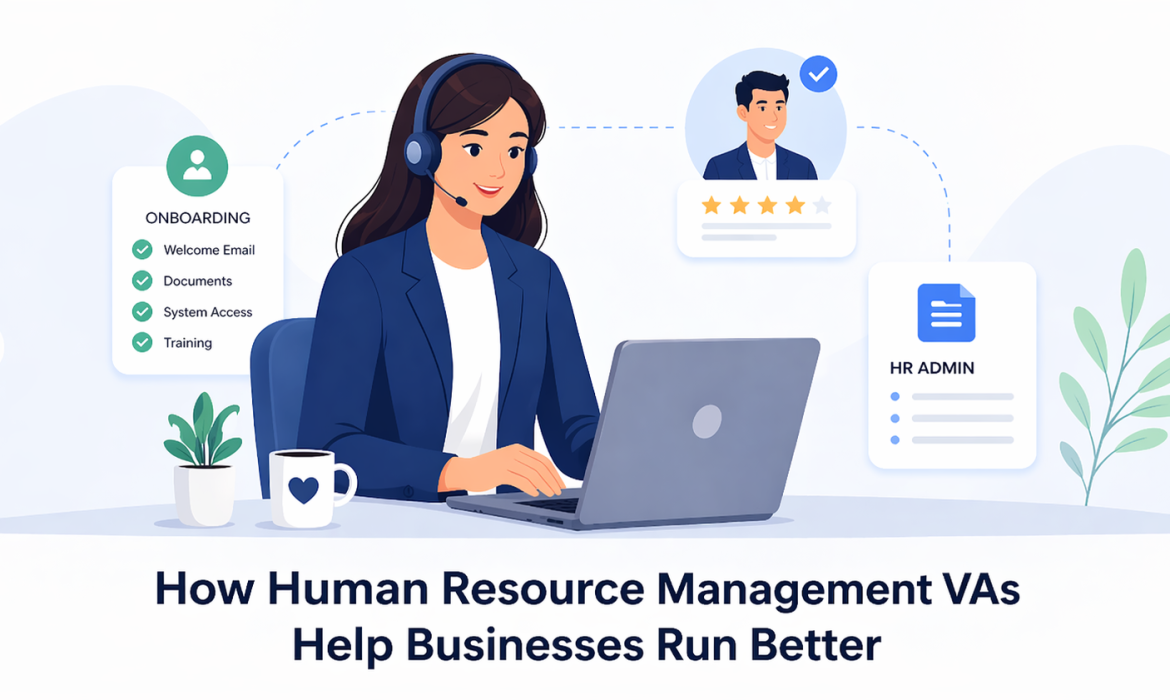
How Human Resource VAs Help Businesses Run Better
Running a business today means wearing a lot of hats. You are managing staff, serving clients, handling deadlines, and trying to keep daily operations moving without delays. In the middle of all this, HR tasks can quietly take up more time than expected. Hiring support, onboarding new team members, updating staff records, and keeping communication organised all matter, but they can easily pull business owners and managers away from bigger priorities.
That is where the right virtual assistant service can make a real difference. A Human Resource Management VA helps take care of the admin-heavy side of people management, so your team can stay focused, organised, and productive. When these tasks are handled well, the whole business runs more smoothly.
Why HR Tasks Often Slow Down Business Growth
Many businesses do not notice how much time HR work takes until the team starts growing. In the beginning, it may feel manageable. A manager posts a job ad, sends onboarding forms, tracks leave in a spreadsheet, and follows up with staff when needed. But as the business grows, these small jobs begin to pile up.
What seems like basic admin can quickly turn into a daily distraction. Interview scheduling, document collection, policy updates, training reminders, and staff communication all take time and attention. If these tasks are handled in a rushed or inconsistent way, it can create confusion across the business.
This does not just affect HR. It can slow down recruitment, delay onboarding, and leave managers stuck in admin instead of focusing on team performance or business growth. When important tasks are scattered or left too late, the impact is felt across operations.
What Human Resource Management VAs Actually Do
Human Resource Management VAs are remote professionals who help businesses manage important HR and admin tasks. They support the systems and processes behind your people operations, helping your internal team stay on top of the details.
Their work can cover a wide range of tasks, including posting job ads, reviewing applications, sorting candidate details, preparing onboarding documents, updating employee files, and sending reminders for meetings or training. They may also help format internal documents, organise folders, and keep records accurate and easy to access.
In many businesses, they also provide virtual administration support that strengthens day-to-day structure. This is especially useful for teams that need extra help without immediately bringing on another full-time in-house employee. A good HR VA does not replace decision-making. Instead, they support the process so managers can lead more effectively.
Transforming Recruitment Into A Faster And Smoother Process
Hiring is one of the most important parts of business growth, but it can also be one of the most time-consuming. Finding the right person takes effort, and much of that effort sits in repetitive admin.
A Human Resource Management VA can help streamline the early stages of recruitment by managing the tasks that often slow things down.
Key Recruitment Tasks They Can Handle
They can assist with:
- writing and formatting job ads
- posting vacancies on relevant platforms
- sorting incoming resumes
- shortlisting candidates based on set criteria
- organising applicant details in a clear tracker
- scheduling interviews and sending reminders
- following up on missing documents or availability
This kind of support keeps the process moving and helps avoid delays that may cost you strong candidates.
Why This Matters For Operations
When recruitment runs smoothly, managers spend less time chasing paperwork and more time speaking with the right people. Response times improve, communication feels more professional, and the process becomes easier for everyone involved.
That is one reason many growing businesses now hire virtual assistants to support recruitment and keep internal operations on track.
Improving Onboarding And Employee Experience From Day One
Onboarding is often underestimated, yet it sets the tone for a new employee’s experience. If the process is slow, unclear, or disorganised, it can leave a poor first impression and delay productivity.
A Human Resource Management VA can help make onboarding more consistent and less stressful. They can prepare welcome packs, send important forms, share induction schedules, and follow up on outstanding documents. They can also coordinate with managers to make sure the right steps happen at the right time.
When onboarding is structured well, new team members feel more confident from day one. They know what is expected, who to contact, and what comes next. Managers also benefit because they spend less time handling repeated admin and more time supporting the employee properly.
A smoother onboarding process helps businesses create a more professional and organised workplace from the start.
Bringing More Order To Everyday HR Operations
Once a team is in place, the work does not stop. Ongoing HR support is essential for keeping the business organised and reducing avoidable mistakes.
A VA can help maintain order in day-to-day operations by managing staff records, tracking leave requests, updating contact details, maintaining internal documents, and sending reminders for reviews, meetings, or compliance-related tasks. These jobs may seem small on their own, but together they shape how smoothly a business runs.
Where Better Structure Helps Most
A more organised HR process can lead to:
- fewer missed steps
- better record keeping
- easier access to important information
- stronger communication across teams
- less pressure on managers and business owners
When there is structure behind the scenes, the whole workplace feels more settled and efficient.
Supporting Compliance, Accuracy, And Confidential Workflows
HR work often involves sensitive information, deadlines, and important documentation. That is why accuracy matters. A missing form, outdated policy, or poorly managed record can create unnecessary problems for the business.
A Human Resource Management VA can help by following clear processes, maintaining organised files, and keeping documents up to date. They can support consistency across routine tasks and reduce the chance of admin errors caused by rushed or scattered systems.
While they are not a replacement for specialist legal or compliance advice, they can help businesses build cleaner internal workflows. That support makes it easier to stay organised, protect information, and keep people-related tasks handled with care.
Freeing Leaders To Focus On Strategy And Team Growth
One of the biggest benefits of using HR VAs is the time they give back to leaders and managers. When repetitive admin is delegated, internal decision-makers can focus on higher-value work.
That may include improving team performance, building stronger client relationships, refining business strategy, or planning for growth. It also means leaders are less likely to get buried in daily follow-ups and document handling.
This shift is important. Strong businesses grow when leaders have space to think ahead, guide their teams, and make better decisions. By reducing admin overload, Human Resource Management VAs help create that space.
Conclusion
Human Resource Management VAs do much more than take tasks off your to-do list. They help bring structure, speed, and consistency to essential business functions that are often overlooked. From recruitment and onboarding to record-keeping and daily HR coordination, their support can improve how your business operates behind the scenes.
When these processes are managed well, teams communicate better, managers stay focused, and operations become easier to scale. For businesses looking to work smarter and stay organised as they grow, HR VA support can be a practical and valuable step forward.

How Virtual Assistants Are Helping Supply Chain Businesses
If you run a supply chain business in Sydney, you already know the pressure points. Orders come in fast, customers want updates straight away, suppliers change lead times, and deliveries do not always go to plan. On top of that, there is a steady stream of admin that never really stops: emails, paperwork, tracking, data updates, and follow-ups.
This is why more supply chain owners are bringing virtual assistants into the mix. Not as a “nice to have”, but as practical support that keeps the business moving. Let’s break down what is driving the shift, what tasks a VA can take on, and how to set things up so it works smoothly.
The Sydney Supply Chain Reality Right Now
High Volume, Fast Turnarounds, And More Moving Parts
Sydney businesses are dealing with tight delivery windows, high customer expectations, and constant changes across suppliers and transport. One delayed shipment can trigger a chain reaction: customer complaints, internal rescheduling, missed production timelines, and hours lost chasing answers.
As you grow, the admin grows too. More SKUs means more product data to maintain. More orders means more invoices, more dispatch updates, and more customer communication. The problem is not that owners and ops managers cannot do the work. It is that doing everything yourself pulls you away from the high-value parts of the role: planning, improving margins, negotiating with suppliers, and building stronger client relationships.
The Tasks Owners Cannot Keep Up With Alone
The Work That Steals Time From Sales, Planning, And Operations
Most supply chain businesses do not fall behind because of one big issue. They fall behind because of hundreds of small tasks that pile up:
- Updating customers with tracking links and ETAs
- Confirming bookings, deliveries, and pickup windows
- Chasing suppliers for lead times and stock availability
- Logging order changes in spreadsheets, CRMs, or job systems
- Following up unpaid invoices and sorting supporting documents
- Keeping internal teams aligned with daily status updates
This is where a Virtual Admin Assistant can make a real difference. They take ownership of repeat tasks and keep the day-to-day moving, so you are not stuck doing admin after hours or constantly switching focus during the day.
Where Virtual Assistants Fit Best In Supply Chain Operations
Vendor And Procurement Support
Supplier management is often a time drain, even when relationships are strong. A VA can help by drafting and sending purchase orders, confirming supplier lead times, and following up when dates move. They can also maintain supplier contact lists, pricing sheets, and product details, which helps reduce errors when staff change or when volume spikes.
Freight And Delivery Coordination
A lot of freight coordination is communication. Tracking shipments, requesting ETAs, logging updates, and letting customers know what is happening. With a clear process and templates, a VA can manage these updates consistently, and escalate only when there is a genuine issue that needs your attention.
Inventory And Product Data Support
Stock records do not stay accurate by accident. A VA can assist with updating stock counts from reports, flagging low stock items, and keeping SKU details clean. They can also prepare for stocktakes with count sheets, variance logs, and summary notes, which saves time for warehouse teams.
Documentation And Compliance Admin
Supply chain businesses often have a mountain of paperwork: invoices, PODs, return requests, claims, and compliance docs. A VA can organise files, keep naming consistent, and ensure key records are easy to find when you need them. This kind of virtual administrative support reduces stress and delays and helps your team stay organised when things get busy.
Tech, Tools, And System Hygiene
Keeping The Business Tech Running Smoothly
Most Sydney supply chain operators use a mix of tools: Microsoft 365 or Google Workspace, accounting software, shipping portals, ecommerce dashboards, and sometimes an ERP or WMS. When systems are messy, teams waste time searching for files, chasing missing details, and re-entering data.
A VA can help keep things tidy and usable: setting up shared folders properly, maintaining templates, organising email rules, updating trackers, and helping with basic access requests. If your team needs help with the day-to-day tech admin and first-level troubleshooting, virtual IT support services can cover the practical basics while your main IT provider handles the heavier work.
Why Owners Are Making The Change Now
The Business Reasons Behind The Shift
There is a clear pattern behind why owners are choosing VAs:
- Better response time to customers and suppliers because someone is on top of inboxes and follow-ups
- More consistent updates on deliveries and order changes
- Cleaner records across systems, which reduces rework and internal confusion
- More flexibility to scale support up or down based on seasonality and demand
- Less burnout risk, because the small tasks stop landing on the owner’s desk
In short, a VA helps you protect your focus. And in the supply chain, the focus is on money.
How To Set Up A VA So The Support Works Long Term
A Simple Setup Plan For Supply Chain Teams
The best results come when you set the VA up with clear guardrails from day one:
- Start with one outcome. For example: “All customer tracking requests answered within 2 hours” or “Daily shipment status updated by 10am.”
- Document the top 5 tasks. Keep it simple: steps, screenshots, and a short checklist.
- Use a shared task board. A basic tracker with priorities, due dates, and status is enough.
- Set access safely. Role-based permissions, unique logins, and a clear list of what they can and cannot touch.
- Create a weekly rhythm. A short check-in to review what worked, what got stuck, and what should be improved.
This approach keeps the relationship smooth and reduces the risk of miscommunication.
When It Is Time To Bring A VA In
If you are seeing any of these signs, you are likely ready:
- Customers chasing updates because your replies are slow
- Too many follow ups missed with suppliers or carriers
- Stock or order data falling behind
- Admin being done after hours
- You are constantly interrupted while trying to manage operations
A good starting point is picking 2 or 3 repeat processes and handing those over first. Once that is stable, you can expand. If you are at that stage, it makes sense to Hire virtual assistants who can follow your checklists, keep communication consistent, and free you up for higher-value work.
Choosing The Right Support Partner For Sydney Supply Chain Businesses
Not all VA support is the same. Look for a provider that offers structured onboarding, clear communication, and simple reporting so you can see what is being done without micromanaging. Ask whether they understand logistics-style workflows: tracking updates, order processing, documentation control, and supplier coordination.
A reliable virtual assistant service should feel like an extension of your team. Clear tasks, clear deadlines, and clear visibility.
Conclusion
Supply chain owners in Sydney are choosing virtual assistants because operational and administrative loads have increased, with the latter rising even faster. A VA helps you respond quicker, keep tracking and documentation organised, and maintain clean systems without adding more pressure to your internal team.
When set up well, this support is not just about saving time. It is about running a calmer, more predictable operation that lets you focus on growth and decision-making.
If you want reliable VA support built around real supply chain workflows, talk to Kredence Global about matching a virtual assistant to your business, with a clear onboarding plan and day-to-day visibility.

Can a VA Handle Customer Support Without Damaging Your Brand Voice in 2026?
You can spend months polishing your website, ads, and socials, then one clunky support reply can undo the good feeling fast. Most business owners are not worried about a typo. They are worried about tone. A reply that feels cold, rushed, or “not us” can make customers second-guess the brand, even if the answer is technically correct.
In 2026, customers expect quick responses across more channels, and they notice inconsistency straight away. The good news is that customer support can be handled by a VA without damaging your brand voice. The catch is simple: you need a clear system that guides how they write, what they can promise, and when to hand things over.
What Brand Voice Looks Like in Customer Support (Not Marketing)
Brand voice in support is the way you sound when a customer needs help, not when they are excited to buy. It shows up in the moments that matter most, like delays, wrong orders, complaints, refunds, and “I’m stuck, can you help?” messages.
It’s also different from support quality. Quality is accuracy and clarity. Voice is the personality and feel behind the words. A helpful brand can still sound blunt. A friendly brand can still sound vague. Great support gets both right. It gives a clear next step and sounds like the business the customer thought they were choosing.
Why 2026 Raises the Bar for Support Tone
Customer support is no longer just an inbox you answer when you have time. It’s email, live chat, social DMs, review responses, and sometimes short messages that feel like texting. Speed matters, but tone matters just as much, especially when someone is frustrated.
AI tools also change the game. They can help draft replies quickly, but they can also make messages sound generic if you do not control the style. Customers are sharper now. They can tell when a reply is templated or when one team member sounds warm and the next sounds robotic. In 2026, consistency is the real goal. Not perfection, consistency.
When a Va Is a Good Fit (And When It’s Risky)
A VA is often a great fit for support tasks that follow a clear process. These include:
- Order updates, booking changes, basic returns, and common “how do I” questions
- Sorting messages by urgency and tagging them correctly
- Gathering details before escalation, like order numbers, screenshots, and preferred call times
- Confirming next steps and timeframes once a solution is approved
It gets risky when issues can blow up fast or involve sensitive decisions. Think public complaints, refund disputes, legal threats, account access problems, or high-value clients. These situations need a defined escalation path so your VA never has to guess.
The Brand Voice Protection System (Non-Negotiables)
If you want your VA to sound like your brand, give it structure. Here’s the system that protects your voice.
A. A One-Page Brand Voice Guide
Keep it short. Include 3 to 5 tone words that describe how you want to sound. Add a list of preferred phrases and phrases you avoid. Note your style rules: greeting, sign-off, emoji use (or no emojis), and how formal you want to be.
B. A Support Style Guide for Tough Moments
This is where most brands slip. Decide how you want to handle complaints, delays, and refunds. Write clear rules for apologising, showing empathy, and setting boundaries. Your VA should know how to say no without sounding rude, and how to be kind without overpromising.
C. Templates That Still Feel Human
Templates are fine if they include personalisation points. Build top replies for your most common issues, then highlight where the VA must add a human touch, like referencing the customer’s specific order or the exact next step.
D. An Escalation Map
List the triggers that always get escalated, like refund demands, legal language, safety concerns, or threats of public reviews. Also, define who it goes to, how fast, and what the VA should collect before handing it over.
E. A Simple QA Scorecard
Rate replies for accuracy, tone match, clarity, and next steps. Review samples weekly. This is how you keep your voice tight over time.
Hiring and Onboarding: Set Expectations Before Day One
The best safeguard is how you hire and train. Don’t only screen for “good English.” Look for calm communication, good judgment, and the confidence to ask questions instead of guessing.
Then, onboard properly. Start with shadowing: let the VA read real conversations to understand what customers ask and how you reply. Do a tone practice exercise where they rewrite the same response in your voice, then you review it together. Start small, like one channel and low-risk tickets, then expand as they prove consistency.
Tools and Workflow That Keep Replies Consistent
A clean workflow makes a big difference. Use one main place for customer messages, one knowledge base for answers, and clear tags for common topics. Saved replies should be approved and updated over time, not created on the fly with random wording.
If you use AI drafting, treat it like a helper, not the final sender, especially early on. Your VA should edit drafts to match your voice guide every time. Also get your security basics right: least access needed, 2FA, password manager, and rules on handling customer data.
Finally, support often depends on fixes from other areas. When issues overlap with tech, your process should include handover notes and clear ownership, so nothing falls between the cracks, especially if you rely on virtual IT support services in the background.
Ownership and Governance: Who Protects the Voice Day to Day
Brand voice needs an owner. That’s usually you, a manager, or whoever has the final say on how the business speaks. Your VA should never feel like they have to “make it up” to keep things moving.
A strong setup is simple: the VA handles messages within the rules, and escalates anything risky. You review a small set of replies weekly and update templates based on what customers are actually asking. Over time, a well-managed Virtual Admin Assistant becomes consistent because they are trained on your rules, not their personal style.
Metrics That Show If Your Voice Is Slipping
Speed is useful, but it’s not the only measure. Track things that reflect trust and tone:
- Tone match score from your QA sheet
- Repeat contacts for the same issue (sign of unclear replies)
- Escalation rate (it should drop as the VA improves)
- Complaint frequency and patterns
- Review sentiment shifts, not just star ratings
- Customer comments like “friendly and helpful” versus “copy-paste replies”
If tone scores drop or customers mention “scripted” responses, adjust templates and coach early.
A Safe Rollout Plan for 2026
Do not switch everything overnight. Roll it out in phases.
Phase 1 (first 2 weeks): one channel, low-risk questions, close review.
Phase 2 (weeks 3 to 6): add more ticket types, expand templates, and reduce edits gradually.
Phase 3 (after 6 weeks): add review responses and social DMs only if escalation rules are working smoothly.
If you want to scale, the safest move is to hire virtual assistants in a controlled way, with one clear playbook and the same QA rhythm for everyone.
Common Mistakes That Damage Brand Voice (And Quick Fixes)
The biggest mistake is handing over support with no written tone rules. Fix that with a one-page voice guide and approved templates. Another common issue is over-templating. Replies feel cold when they are too rigid, so make sure templates include personalisation points.
Also, never let a VA wing it on complaints. Complaints need escalation triggers and a clear handover process. And if you use AI drafts, don’t let them go out untouched. Australian spelling, simple language, and your brand’s tone rules should always win.
Conclusion
A VA can absolutely handle customer support without damaging your brand voice in 2026, but only if you set the guardrails. The winning setup is not complicated: a clear voice guide, approved templates that still feel human, and a strict escalation map for risky issues. Add a weekly QA check-in, and your brand voice stays consistent as you grow. Customers feel looked after, and your support becomes a strength, not a stress point.
Want customer support that stays on-brand, even when you are flat out? Start with a simple voice guide, build your escalation map, then run a small pilot for two weeks. If you would like help setting up the process and templates, book a quick call, and we’ll map it properly.

What Happens If You Stop Doing Admin For 7 Days And Let A VA Handle It?
If you run a business, you already know the pattern. You start the day with good intentions, then your inbox lights up, your calendar shifts, someone needs an invoice resent, and a “quick” follow-up turns into a 30-minute rabbit hole. By lunch, your real work is still waiting.
Now imagine this. For the next 7 days, you stop doing admin. Not forever. Just one week. And you let a VA handle it. The question is not “will things get done?” The better question is “what changes when you are not the bottleneck?”
In this article, we will walk through what that week looks like, day by day, and what it does for your focus, your team, and your customers.
What “Admin” Really Looks Like in Your Business
Admin is not one task. It is dozens of small tasks that keep tapping you on the shoulder.
It usually includes things like:
- Sorting emails, replying to routine messages, and flagging what matters
- Booking meetings, moving appointments, and sending confirmations
- Updating spreadsheets, CRMs, and project tools
- Sending invoices, chasing overdue payments, and filing receipts
- Following up leads, sending forms, and organising documents
The tricky part is not the difficulty. It is the constant switching. You are replying to a simple email, then you are back to a proposal, then you are interrupted again. That start-stop rhythm is exhausting. It steals time and focus, and it often pushes your high-value work into nights and weekends.
A 7-day handover works because it forces you to see how much time admin really takes.
Meet Your Admin Partner for the Week: Who Is Actually Doing the Work
This is where the right setup matters. A VA is not guessing. They work from clear rules, priorities, and examples that you provide up front.
A Virtual Admin Assistant can take on the daily flow that usually sits with you, like inbox triage, calendar management, document handling, and follow-ups. The goal is simple: protect your time while keeping things moving.
In the first one or two days, expect a few more questions. That is normal. They are learning:
- Your tone and how you like to respond
- Which emails can be handled straight away
- Which items need to be escalated to you
- How do you want meetings booked and confirmed
You also set boundaries on what they can decide, what they should ask, and what they should never touch. With proper access controls and a clear task list, trust becomes a process, not a gamble.
Day by Day: What Actually Changes When You Step Away from Admin
Day 1 to 2: Handover mode
You share templates, logins (securely), key contacts, and your “rules of the road”. Your VA starts by sorting your inbox, tagging priorities, and handling quick wins. You will feel the urge to jump in. Try not to. The point is to let the new system work.
Day 3 to 4: the Noise Drops
This is when you notice the most significant shift. Fewer interruptions reach you because someone is filtering and actioning. Meetings become cleaner. Follow-ups start going out on time. You stop carrying the mental load of “I need to reply to that”.
Day 5 to 7: You Get Your Brain Back
By the end of the week, you are finally spending time where it counts. Deep work becomes possible again. You might finish a proposal faster, make sales calls you’ve been delaying, or fix a process that’s been annoying you for months. Meanwhile, the VA starts building simple checklists as they go, which makes the next week even smoother.
The Impact on You as a Founder or Manager
The most apparent change is time, but the bigger change is headspace.
When admin is handled correctly, you stop context switching every ten minutes. You can sit with a task long enough to do it well. You also stop carrying that quiet stress of unanswered messages and half-done jobs.
You may also notice a shift in mindset. Many business owners hold onto admin because it feels safer. But after a week, it becomes clear that your business does not need you to be the human inbox. It needs you to lead.
That is why many teams choose to hire virtual assistants. Not because they cannot do admin, but because they should not be doing it at the cost of growth.
The Impact on Customers, Team, and Results
Customers usually feel the improvement first. Faster replies. Clearer follow-up. Fewer missed messages. If someone asks a question on Monday, they are not waiting until Thursday for a response because you were buried in meetings.
Your team benefits too. They get smoother scheduling, better organised info, and fewer loose ends. It becomes easier to find documents, track tasks, and keep jobs moving.
On the tools side, many VAs can also coordinate basic tech admin to keep your systems tidy. For example, they can manage access requests, sort shared folders, and help keep day-to-day tools running with virtual it support services when needed.
If you want to measure impact, keep it simple: response time, overdue invoices, missed appointments, and the number of hours you spend in deep work.
Turning a 7-Day Trial into a Long-Term Support System
At the end of the week, do a quick review. What did you hand over? What worked well? What caused friction?
Then lock in the wins:
- Turn repeated tasks into simple checklists
- Keep templates in one place
- Set weekly priorities so the VA knows what matters most
- Add a short weekly report so you stay informed without getting dragged back into the weeds
The best part is that the second week is usually easier than the first. Less explaining, fewer questions, faster output. Over time, you build a support system that runs in the background while you focus on decisions that actually move the business forward.
Conclusion
A 7-day admin handover is not just a productivity trick. It is a reality check. It shows you how much of your week is spent on small tasks that can be handled by someone else, and how much better your business runs when follow-ups and scheduling are consistent.
Admin is essential, but it does not need to sit on your shoulders. Once you see what one week looks like with proper support, it is hard to go back to doing everything yourself.
Ready to hand off admin for 7 days and get your time back? Reach out today and set up a simple VA handover plan that fits your business.

Virtual Assistant Costs In Australia: A Simple Pricing Guide
Australian businesses are under constant pressure to do more with less. Rising wages, higher overheads, and an always-on customer base mean that many owners and managers are seeking more innovative ways to manage administrative, service, and operational tasks. That is where virtual assistants have stepped in as a practical way to add capacity without hiring another person locally.
Most people start looking at virtual support when things begin to slip. Emails sit unanswered, invoices go out late, customers wait too long for a reply, or a new project kicks off, and the team is already stretched. At that point, the question is not just “Do we need help?” but “What will it cost, and is it worth it?”
This guide is here to make that part simple. You will see how virtual assistant pricing works in Australia, what typical hourly and monthly rates look like, and which factors influence those costs. Most importantly, you will learn how to choose a pricing model that suits your workload, allowing you to stay in control of your budget and avoid any unexpected bills later.
What Virtual Assistants Do: Roles, Tasks, And Skill Levels
Virtual assistants are remote team members who handle the day-to-day tasks that keep your business running smoothly. Their main job is to take repeatable tasks off your plate so you can focus on sales, clients and strategy.
Main types of support
Common support areas include:
- General admin: inbox and calendar, data entry, file organisation, simple reports.
- Customer service: responding to emails, providing chat support, handling basic phone queries, and updating customer records.
- Sales support: preparing quotes, updating the CRM, booking calls, and following up warm leads.
- Marketing help: posting to social platforms, simple design edits, formatting blogs and emails.
- Bookkeeping: raising invoices, recording payments, basic reconciliations, and expense entry.
- IT and systems: simple website edits, user set-ups, basic troubleshooting in standard tools.
Skill levels and rate bands
- Entry-level: follows clear checklists, ideal for simple administrative and data tasks, typically in the lower price band.
- Mid-level: works across several tools, manages a mixed task list with less hand-holding, usually in the middle band.
- Specialist: brings deeper skills in areas like bookkeeping, paid ads or technical support, and sits at the higher end.
A Virtual Admin Assistant typically sits between entry and mid-level, handling everyday admin tasks, scheduling, follow-up, and simple reporting so owners and managers can stay focused on higher-value work.
Key Factors That Shape Virtual Assistant Costs In Australia
Virtual assistant rates are not random. They are primarily shaped by the assistant’s location, experience, the type of work they perform, and the number of hours booked for them.
1. Location: Australia vs overseas
Australian-based assistants usually cost more because they work in the same time zone, understand local clients and pay Australian living costs.
Overseas assistants are often more affordable, as wages and overheads in their country are lower, which reduces the hourly or monthly fee.
2. Experience and industry background
Assistants with more years of experience, stronger tool skills or knowledge of your industry usually sit in a higher price band.
Entry-level support suits simple, process-driven tasks. Experienced or specialist support costs more but can handle complex work with less supervision.
3. Type of work: routine vs specialist
Routine administrative tasks, such as inbox clean-ups, calendar management, and basic data entry, sit at the lower end of the range.
Specialist work like bookkeeping, advanced marketing, CRM builds or IT support attracts higher rates because the skills are more complex to replace and mistakes can be costly.
4. Hours and structure
Ad hoc help charged by the hour gives flexibility, but it can be harder to predict in your budget.
Regular part-time blocks or full-time remote staff are typically priced as fixed monthly packages, which can lower the effective hourly rate and make planning easier.
Pricing Models Explained: Hourly, Retainers, And Dedicated Staff
Virtual assistant costs are usually set in three simple ways: hourly, monthly retainers, and dedicated part-time or full-time staff.
Hourly rates
Good for testing a VA or covering occasional work. You only pay for the time used, but your monthly spend can fluctuate, so you need precise time tracking and minimum blocks.
Monthly retainers
You pay a fixed amount for an agreed block of hours each month. Great for ongoing support, easier budgeting, and keeping a regular place in your assistant’s schedule.
Dedicated part-time or full-time staff
You pay a set monthly fee for stable weekly hours.
Best for steady workloads where you want one person who knows your systems well and can grow with the business.
Quick comparison
- Hourly: flexible, less predictable.
- Retainer: balanced, clear monthly budget.
- Dedicated: higher commitment, strong support for long-term growth.
Typical Virtual Assistant Rate Ranges In Australia
Exact figures vary by provider, but most rates fall within clear bands. Below is a simple guide in AUD that you can use as a reference when you look at quotes.
General admin and customer service
- Local: around 30–45 AUD per hour
- Offshore: around 10–25 AUD per hour
Sales and marketing support
- Local: around 35–60 AUD per hour
- Offshore: around 15–35 AUD per hour
Finance and bookkeeping
- Local: around 40–70 AUD per hour
- Offshore: around 25–45 AUD per hour
Technical and IT style roles
- Local: around 45–90 AUD per hour
- Offshore: around 20–45 AUD per hour
When to pay low, mid or high
- Lower end: simple, routine tasks with transparent processes.
- Mid-range: mix of admin and decision making, regular ongoing work.
- Higher end: specialist skills, sensitive data, or work that directly affects revenue, compliance or key clients.
Treat these as guideposts. Real quotes will adjust up or down based on scope, hours, and the level of alignment you desire between the assistant and your business.
Service Models: Freelancers, Marketplaces, And Managed Teams
Virtual assistant support is usually delivered through three main service models. Each one changes how you work with your assistant and how much backup you have if something goes wrong.
Solo freelancers
Freelancers work directly with you as individuals. You get strong control over how they work and can build a close relationship, but you rely on one person. If they get sick, take leave, or move on, there is often no automatic backup.
Marketplaces and gig platforms
Marketplaces are ideal for short jobs, trials, and one-off projects. You can post tasks, compare profiles, and choose from various options, but the quality and reliability can vary significantly. You handle screening, onboarding, and performance yourself.
Managed teams and agencies
Managed setups provide a more structured experience. They help with shortlisting, interviews, and onboarding, and often have supervisors who monitor quality and productivity. If your main assistant is unavailable, they can usually arrange cover or a replacement, which reduces risk for your business.
This model suits owners and managers who require additional support with screening, training, and backup, rather than managing every detail independently.
Understanding Hidden Costs And True Savings
Virtual assistants can save money, but only if you look past the headline hourly rate. It helps to understand the hidden costs of hiring and the real savings compared with in-house staff.
Hidden costs when you hire directly
When you recruit on your own, you pay in time and tools, even if you do not see a direct invoice:
- Writing job ads and reviewing applications
- Interviews, tests, and reference checks
- Extra software licences, seats, and logins
- Training time, documentation, and ongoing supervision
All of this is in addition to the rate you pay for the work itself.
Why very cheap rates can be risky
Very low prices can look tempting, but they often come with trade-offs:
- Slower work or poor quality that needs rework
- Weak processes around data security and access
- Higher turnover, so you keep starting again with someone new
A slightly higher, stable rate from a reliable provider usually costs less in the long run than constant fixing and retraining.
Where the real savings come from
Compared with an in-house hire, a virtual assistant can remove:
- Salary plus super and leave loading
- Desk space, furniture, and office utilities
- Computer hardware and some software costs
- Payroll tax and HR overhead
You pay for output, not to keep another person physically in your building.
When a VA is ideal vs when in-house is better
Cost-effective use cases:
- Ongoing admin, customer service, and simple sales support
- Repeatable work that can be done from anywhere
- Teams that need extra hands but not another full-time local employee
In-house may be better when:
- The role needs a strong physical presence, such as front-of-house or onsite operations
- You require close, daily collaboration with multiple internal teams located in the same area.
- The position is senior, strategic, or deeply tied to company culture.
The goal is not to replace every role with a virtual assistant, but to shift the right tasks out of your core team, allowing you to control costs while maintaining strong performance.
How To Budget For Virtual Assistant Support
A simple budgeting process will help you avoid guessing and keep your virtual assistant costs under control.
1. Map your workload
- Recurring tasks: inbox, calendar, reports, customer replies, invoicing
- Project work: launches, events, website updates, system changes
- Peak periods: month-end, school holidays, seasonal busy times
Estimate the number of hours each group typically needs in a normal week or month.
2. Turn tasks into hours
Group similar tasks together and give each group a rough time estimate. From there, decide how many hours per week or month you want to dedicate, rather than picking a random number.
3. Set a realistic monthly budget
Multiply your estimated hours by a target hourly rate or package price.Check that amount against your priorities, such as:
- Freeing your time for sales or billable work
- Improving response times or customer service
- Clearing backlog and reducing stress
If the assistant helps you win even one extra client or keeps key customers happy, the budget is easier to justify.
4. When to scale up support
Consider increasing hours or moving to a bigger package when:
- Revenue or lead volume rises and you feel busy again
- Customers start waiting longer for replies
- You are spending more time on admin than on growth activities
Start lean, track the impact for a few months, then adjust your budget as the business grows.
Comparing Local And Offshore Options
Choosing between local and offshore support is less about right or wrong and more about what suits your clients, workload and budget.
Strengths of local talent
Local assistants work in the same time zone, understand Australian customers, and are often better suited to client-facing roles. They are ideal for tasks like phone support, high touch account management and work that needs strong knowledge of local laws, culture and language style.
Strengths of offshore talent
Offshore assistants usually come in at a lower hourly rate, and you can tap into larger talent pools. This works well for back-office tasks such as data entry, reporting, standard customer emails, marketing support, and administrative tasks that do not require local knowledge every minute of the day.
Hybrid setups that balance both
Many growing businesses use a simple mix: a local contact for clients and an offshore team member handling the background work. The local person manages relationships and higher-level decisions, while offshore support keeps the admin, reporting and process work moving.
Questions to ask about offshore models
Before you choose an offshore setup or a virtual assistant service, ask:
- How is our data stored, accessed and protected
- Which tools and systems will we use each day
- Who supervises the assistant and handles performance issues
- What happens if the main assistant is sick, on leave or leaves the role
Clear answers to these points will help you choose an option that is safe, stable, and aligned with how you currently run your business.
Quality, Security, And Compliance Considerations
Keep quality on track.
Set a few clear KPIs, such as response times and error rates. Keep simple process docs in a shared folder and have short regular check-ins to review work.
Protect your data
Use a password manager instead of sharing logins. Grant access through cloud tools with the appropriate permission level and revoke access when someone leaves.
Handle sensitive information carefully.
For finance, HR or health work, limit who can see full records. Keep final approvals with a senior local contact and note which systems your assistant can use.
Cover the legal basics.
Use a written contract that clearly sets the scope, service expectations, confidentiality, and payment terms. These steps provide a solid foundation for safe, long-term virtual administration support without adding excessive bureaucracy.
Choosing The Right Support Mix For Your Business
Match tasks to skill level
Start by listing tasks, then match them to the right level:
- Simple, repeatable admin work suits entry-level support in the lower price band.
- Customer-facing, revenue-related or decision-making tasks suit mid-level support.
- Complex work in finance, marketing, or systems requires specialist support at the higher end.
When to use general admin vs specialists
If your primary problems are inbox pressure, late invoicing, messy calendars, or basic follow-ups, start with general administrative support. Go straight to a specialist when you already know you need help in a specialised area, such as bookkeeping, paid ads, or advanced reporting.
Build a mix as you grow
Over time, many businesses transition to a mix of administrative, marketing, and financial support, and may also add virtual IT support services to manage tools and basic technical issues.
This gives you cover across the main parts of your operations without hiring multiple full time roles locally.
Signs your setup is not right
You may be under-resourced if:
- You are still working late on admin most nights
- Customer replies are slow or patchy.
- Internal tasks delay work for clients or patients
You may be over-resourced if:
- Your assistant has long idle periods
- You keep searching for tasks to fill their hours
- The cost does not feel matched to the value you receive
If any of these issues persist for more than a month or two, it is a sign to adjust hours, change the mix of tasks, or consider a different support level.
Conclusion
The right price for virtual help should match the scope of work, the skills involved, and the value it brings to your business, not just the lowest rate. With a simple plan for tasks, budget, and service model, you cut guesswork and build long-term capacity into your team.
Ready to hire virtual assistants on the right terms? Let’s design a monthly plan that works for your business. Reach out today!

 Webential