


How Virtual Assistants Are Helping Supply Chain Businesses
If you run a supply chain business in Sydney, you already know the pressure points. Orders come in fast, customers want updates straight away, suppliers change lead times, and deliveries do not always go to plan. On top of that, there is a steady stream of admin that never really stops: emails, paperwork, tracking, data updates, and follow-ups.
This is why more supply chain owners are bringing virtual assistants into the mix. Not as a “nice to have”, but as practical support that keeps the business moving. Let’s break down what is driving the shift, what tasks a VA can take on, and how to set things up so it works smoothly.
The Sydney Supply Chain Reality Right Now
High Volume, Fast Turnarounds, And More Moving Parts
Sydney businesses are dealing with tight delivery windows, high customer expectations, and constant changes across suppliers and transport. One delayed shipment can trigger a chain reaction: customer complaints, internal rescheduling, missed production timelines, and hours lost chasing answers.
As you grow, the admin grows too. More SKUs means more product data to maintain. More orders means more invoices, more dispatch updates, and more customer communication. The problem is not that owners and ops managers cannot do the work. It is that doing everything yourself pulls you away from the high-value parts of the role: planning, improving margins, negotiating with suppliers, and building stronger client relationships.
The Tasks Owners Cannot Keep Up With Alone
The Work That Steals Time From Sales, Planning, And Operations
Most supply chain businesses do not fall behind because of one big issue. They fall behind because of hundreds of small tasks that pile up:
- Updating customers with tracking links and ETAs
- Confirming bookings, deliveries, and pickup windows
- Chasing suppliers for lead times and stock availability
- Logging order changes in spreadsheets, CRMs, or job systems
- Following up unpaid invoices and sorting supporting documents
- Keeping internal teams aligned with daily status updates
This is where a Virtual Admin Assistant can make a real difference. They take ownership of repeat tasks and keep the day-to-day moving, so you are not stuck doing admin after hours or constantly switching focus during the day.
Where Virtual Assistants Fit Best In Supply Chain Operations
Vendor And Procurement Support
Supplier management is often a time drain, even when relationships are strong. A VA can help by drafting and sending purchase orders, confirming supplier lead times, and following up when dates move. They can also maintain supplier contact lists, pricing sheets, and product details, which helps reduce errors when staff change or when volume spikes.
Freight And Delivery Coordination
A lot of freight coordination is communication. Tracking shipments, requesting ETAs, logging updates, and letting customers know what is happening. With a clear process and templates, a VA can manage these updates consistently, and escalate only when there is a genuine issue that needs your attention.
Inventory And Product Data Support
Stock records do not stay accurate by accident. A VA can assist with updating stock counts from reports, flagging low stock items, and keeping SKU details clean. They can also prepare for stocktakes with count sheets, variance logs, and summary notes, which saves time for warehouse teams.
Documentation And Compliance Admin
Supply chain businesses often have a mountain of paperwork: invoices, PODs, return requests, claims, and compliance docs. A VA can organise files, keep naming consistent, and ensure key records are easy to find when you need them. This kind of virtual administrative support reduces stress and delays and helps your team stay organised when things get busy.
Tech, Tools, And System Hygiene
Keeping The Business Tech Running Smoothly
Most Sydney supply chain operators use a mix of tools: Microsoft 365 or Google Workspace, accounting software, shipping portals, ecommerce dashboards, and sometimes an ERP or WMS. When systems are messy, teams waste time searching for files, chasing missing details, and re-entering data.
A VA can help keep things tidy and usable: setting up shared folders properly, maintaining templates, organising email rules, updating trackers, and helping with basic access requests. If your team needs help with the day-to-day tech admin and first-level troubleshooting, virtual IT support services can cover the practical basics while your main IT provider handles the heavier work.
Why Owners Are Making The Change Now
The Business Reasons Behind The Shift
There is a clear pattern behind why owners are choosing VAs:
- Better response time to customers and suppliers because someone is on top of inboxes and follow-ups
- More consistent updates on deliveries and order changes
- Cleaner records across systems, which reduces rework and internal confusion
- More flexibility to scale support up or down based on seasonality and demand
- Less burnout risk, because the small tasks stop landing on the owner’s desk
In short, a VA helps you protect your focus. And in the supply chain, the focus is on money.
How To Set Up A VA So The Support Works Long Term
A Simple Setup Plan For Supply Chain Teams
The best results come when you set the VA up with clear guardrails from day one:
- Start with one outcome. For example: “All customer tracking requests answered within 2 hours” or “Daily shipment status updated by 10am.”
- Document the top 5 tasks. Keep it simple: steps, screenshots, and a short checklist.
- Use a shared task board. A basic tracker with priorities, due dates, and status is enough.
- Set access safely. Role-based permissions, unique logins, and a clear list of what they can and cannot touch.
- Create a weekly rhythm. A short check-in to review what worked, what got stuck, and what should be improved.
This approach keeps the relationship smooth and reduces the risk of miscommunication.
When It Is Time To Bring A VA In
If you are seeing any of these signs, you are likely ready:
- Customers chasing updates because your replies are slow
- Too many follow ups missed with suppliers or carriers
- Stock or order data falling behind
- Admin being done after hours
- You are constantly interrupted while trying to manage operations
A good starting point is picking 2 or 3 repeat processes and handing those over first. Once that is stable, you can expand. If you are at that stage, it makes sense to Hire virtual assistants who can follow your checklists, keep communication consistent, and free you up for higher-value work.
Choosing The Right Support Partner For Sydney Supply Chain Businesses
Not all VA support is the same. Look for a provider that offers structured onboarding, clear communication, and simple reporting so you can see what is being done without micromanaging. Ask whether they understand logistics-style workflows: tracking updates, order processing, documentation control, and supplier coordination.
A reliable virtual assistant service should feel like an extension of your team. Clear tasks, clear deadlines, and clear visibility.
Conclusion
Supply chain owners in Sydney are choosing virtual assistants because operational and administrative loads have increased, with the latter rising even faster. A VA helps you respond quicker, keep tracking and documentation organised, and maintain clean systems without adding more pressure to your internal team.
When set up well, this support is not just about saving time. It is about running a calmer, more predictable operation that lets you focus on growth and decision-making.
If you want reliable VA support built around real supply chain workflows, talk to Kredence Global about matching a virtual assistant to your business, with a clear onboarding plan and day-to-day visibility.

What Happens If You Stop Doing Admin For 7 Days And Let A VA Handle It?
If you run a business, you already know the pattern. You start the day with good intentions, then your inbox lights up, your calendar shifts, someone needs an invoice resent, and a “quick” follow-up turns into a 30-minute rabbit hole. By lunch, your real work is still waiting.
Now imagine this. For the next 7 days, you stop doing admin. Not forever. Just one week. And you let a VA handle it. The question is not “will things get done?” The better question is “what changes when you are not the bottleneck?”
In this article, we will walk through what that week looks like, day by day, and what it does for your focus, your team, and your customers.
What “Admin” Really Looks Like in Your Business
Admin is not one task. It is dozens of small tasks that keep tapping you on the shoulder.
It usually includes things like:
- Sorting emails, replying to routine messages, and flagging what matters
- Booking meetings, moving appointments, and sending confirmations
- Updating spreadsheets, CRMs, and project tools
- Sending invoices, chasing overdue payments, and filing receipts
- Following up leads, sending forms, and organising documents
The tricky part is not the difficulty. It is the constant switching. You are replying to a simple email, then you are back to a proposal, then you are interrupted again. That start-stop rhythm is exhausting. It steals time and focus, and it often pushes your high-value work into nights and weekends.
A 7-day handover works because it forces you to see how much time admin really takes.
Meet Your Admin Partner for the Week: Who Is Actually Doing the Work
This is where the right setup matters. A VA is not guessing. They work from clear rules, priorities, and examples that you provide up front.
A Virtual Admin Assistant can take on the daily flow that usually sits with you, like inbox triage, calendar management, document handling, and follow-ups. The goal is simple: protect your time while keeping things moving.
In the first one or two days, expect a few more questions. That is normal. They are learning:
- Your tone and how you like to respond
- Which emails can be handled straight away
- Which items need to be escalated to you
- How do you want meetings booked and confirmed
You also set boundaries on what they can decide, what they should ask, and what they should never touch. With proper access controls and a clear task list, trust becomes a process, not a gamble.
Day by Day: What Actually Changes When You Step Away from Admin
Day 1 to 2: Handover mode
You share templates, logins (securely), key contacts, and your “rules of the road”. Your VA starts by sorting your inbox, tagging priorities, and handling quick wins. You will feel the urge to jump in. Try not to. The point is to let the new system work.
Day 3 to 4: the Noise Drops
This is when you notice the most significant shift. Fewer interruptions reach you because someone is filtering and actioning. Meetings become cleaner. Follow-ups start going out on time. You stop carrying the mental load of “I need to reply to that”.
Day 5 to 7: You Get Your Brain Back
By the end of the week, you are finally spending time where it counts. Deep work becomes possible again. You might finish a proposal faster, make sales calls you’ve been delaying, or fix a process that’s been annoying you for months. Meanwhile, the VA starts building simple checklists as they go, which makes the next week even smoother.
The Impact on You as a Founder or Manager
The most apparent change is time, but the bigger change is headspace.
When admin is handled correctly, you stop context switching every ten minutes. You can sit with a task long enough to do it well. You also stop carrying that quiet stress of unanswered messages and half-done jobs.
You may also notice a shift in mindset. Many business owners hold onto admin because it feels safer. But after a week, it becomes clear that your business does not need you to be the human inbox. It needs you to lead.
That is why many teams choose to hire virtual assistants. Not because they cannot do admin, but because they should not be doing it at the cost of growth.
The Impact on Customers, Team, and Results
Customers usually feel the improvement first. Faster replies. Clearer follow-up. Fewer missed messages. If someone asks a question on Monday, they are not waiting until Thursday for a response because you were buried in meetings.
Your team benefits too. They get smoother scheduling, better organised info, and fewer loose ends. It becomes easier to find documents, track tasks, and keep jobs moving.
On the tools side, many VAs can also coordinate basic tech admin to keep your systems tidy. For example, they can manage access requests, sort shared folders, and help keep day-to-day tools running with virtual it support services when needed.
If you want to measure impact, keep it simple: response time, overdue invoices, missed appointments, and the number of hours you spend in deep work.
Turning a 7-Day Trial into a Long-Term Support System
At the end of the week, do a quick review. What did you hand over? What worked well? What caused friction?
Then lock in the wins:
- Turn repeated tasks into simple checklists
- Keep templates in one place
- Set weekly priorities so the VA knows what matters most
- Add a short weekly report so you stay informed without getting dragged back into the weeds
The best part is that the second week is usually easier than the first. Less explaining, fewer questions, faster output. Over time, you build a support system that runs in the background while you focus on decisions that actually move the business forward.
Conclusion
A 7-day admin handover is not just a productivity trick. It is a reality check. It shows you how much of your week is spent on small tasks that can be handled by someone else, and how much better your business runs when follow-ups and scheduling are consistent.
Admin is essential, but it does not need to sit on your shoulders. Once you see what one week looks like with proper support, it is hard to go back to doing everything yourself.
Ready to hand off admin for 7 days and get your time back? Reach out today and set up a simple VA handover plan that fits your business.

Virtual Assistant Costs In Australia: A Simple Pricing Guide
Australian businesses are under constant pressure to do more with less. Rising wages, higher overheads, and an always-on customer base mean that many owners and managers are seeking more innovative ways to manage administrative, service, and operational tasks. That is where virtual assistants have stepped in as a practical way to add capacity without hiring another person locally.
Most people start looking at virtual support when things begin to slip. Emails sit unanswered, invoices go out late, customers wait too long for a reply, or a new project kicks off, and the team is already stretched. At that point, the question is not just “Do we need help?” but “What will it cost, and is it worth it?”
This guide is here to make that part simple. You will see how virtual assistant pricing works in Australia, what typical hourly and monthly rates look like, and which factors influence those costs. Most importantly, you will learn how to choose a pricing model that suits your workload, allowing you to stay in control of your budget and avoid any unexpected bills later.
What Virtual Assistants Do: Roles, Tasks, And Skill Levels
Virtual assistants are remote team members who handle the day-to-day tasks that keep your business running smoothly. Their main job is to take repeatable tasks off your plate so you can focus on sales, clients and strategy.
Main types of support
Common support areas include:
- General admin: inbox and calendar, data entry, file organisation, simple reports.
- Customer service: responding to emails, providing chat support, handling basic phone queries, and updating customer records.
- Sales support: preparing quotes, updating the CRM, booking calls, and following up warm leads.
- Marketing help: posting to social platforms, simple design edits, formatting blogs and emails.
- Bookkeeping: raising invoices, recording payments, basic reconciliations, and expense entry.
- IT and systems: simple website edits, user set-ups, basic troubleshooting in standard tools.
Skill levels and rate bands
- Entry-level: follows clear checklists, ideal for simple administrative and data tasks, typically in the lower price band.
- Mid-level: works across several tools, manages a mixed task list with less hand-holding, usually in the middle band.
- Specialist: brings deeper skills in areas like bookkeeping, paid ads or technical support, and sits at the higher end.
A Virtual Admin Assistant typically sits between entry and mid-level, handling everyday admin tasks, scheduling, follow-up, and simple reporting so owners and managers can stay focused on higher-value work.
Key Factors That Shape Virtual Assistant Costs In Australia
Virtual assistant rates are not random. They are primarily shaped by the assistant’s location, experience, the type of work they perform, and the number of hours booked for them.
1. Location: Australia vs overseas
Australian-based assistants usually cost more because they work in the same time zone, understand local clients and pay Australian living costs.
Overseas assistants are often more affordable, as wages and overheads in their country are lower, which reduces the hourly or monthly fee.
2. Experience and industry background
Assistants with more years of experience, stronger tool skills or knowledge of your industry usually sit in a higher price band.
Entry-level support suits simple, process-driven tasks. Experienced or specialist support costs more but can handle complex work with less supervision.
3. Type of work: routine vs specialist
Routine administrative tasks, such as inbox clean-ups, calendar management, and basic data entry, sit at the lower end of the range.
Specialist work like bookkeeping, advanced marketing, CRM builds or IT support attracts higher rates because the skills are more complex to replace and mistakes can be costly.
4. Hours and structure
Ad hoc help charged by the hour gives flexibility, but it can be harder to predict in your budget.
Regular part-time blocks or full-time remote staff are typically priced as fixed monthly packages, which can lower the effective hourly rate and make planning easier.
Pricing Models Explained: Hourly, Retainers, And Dedicated Staff
Virtual assistant costs are usually set in three simple ways: hourly, monthly retainers, and dedicated part-time or full-time staff.
Hourly rates
Good for testing a VA or covering occasional work. You only pay for the time used, but your monthly spend can fluctuate, so you need precise time tracking and minimum blocks.
Monthly retainers
You pay a fixed amount for an agreed block of hours each month. Great for ongoing support, easier budgeting, and keeping a regular place in your assistant’s schedule.
Dedicated part-time or full-time staff
You pay a set monthly fee for stable weekly hours.
Best for steady workloads where you want one person who knows your systems well and can grow with the business.
Quick comparison
- Hourly: flexible, less predictable.
- Retainer: balanced, clear monthly budget.
- Dedicated: higher commitment, strong support for long-term growth.
Typical Virtual Assistant Rate Ranges In Australia
Exact figures vary by provider, but most rates fall within clear bands. Below is a simple guide in AUD that you can use as a reference when you look at quotes.
General admin and customer service
- Local: around 30–45 AUD per hour
- Offshore: around 10–25 AUD per hour
Sales and marketing support
- Local: around 35–60 AUD per hour
- Offshore: around 15–35 AUD per hour
Finance and bookkeeping
- Local: around 40–70 AUD per hour
- Offshore: around 25–45 AUD per hour
Technical and IT style roles
- Local: around 45–90 AUD per hour
- Offshore: around 20–45 AUD per hour
When to pay low, mid or high
- Lower end: simple, routine tasks with transparent processes.
- Mid-range: mix of admin and decision making, regular ongoing work.
- Higher end: specialist skills, sensitive data, or work that directly affects revenue, compliance or key clients.
Treat these as guideposts. Real quotes will adjust up or down based on scope, hours, and the level of alignment you desire between the assistant and your business.
Service Models: Freelancers, Marketplaces, And Managed Teams
Virtual assistant support is usually delivered through three main service models. Each one changes how you work with your assistant and how much backup you have if something goes wrong.
Solo freelancers
Freelancers work directly with you as individuals. You get strong control over how they work and can build a close relationship, but you rely on one person. If they get sick, take leave, or move on, there is often no automatic backup.
Marketplaces and gig platforms
Marketplaces are ideal for short jobs, trials, and one-off projects. You can post tasks, compare profiles, and choose from various options, but the quality and reliability can vary significantly. You handle screening, onboarding, and performance yourself.
Managed teams and agencies
Managed setups provide a more structured experience. They help with shortlisting, interviews, and onboarding, and often have supervisors who monitor quality and productivity. If your main assistant is unavailable, they can usually arrange cover or a replacement, which reduces risk for your business.
This model suits owners and managers who require additional support with screening, training, and backup, rather than managing every detail independently.
Understanding Hidden Costs And True Savings
Virtual assistants can save money, but only if you look past the headline hourly rate. It helps to understand the hidden costs of hiring and the real savings compared with in-house staff.
Hidden costs when you hire directly
When you recruit on your own, you pay in time and tools, even if you do not see a direct invoice:
- Writing job ads and reviewing applications
- Interviews, tests, and reference checks
- Extra software licences, seats, and logins
- Training time, documentation, and ongoing supervision
All of this is in addition to the rate you pay for the work itself.
Why very cheap rates can be risky
Very low prices can look tempting, but they often come with trade-offs:
- Slower work or poor quality that needs rework
- Weak processes around data security and access
- Higher turnover, so you keep starting again with someone new
A slightly higher, stable rate from a reliable provider usually costs less in the long run than constant fixing and retraining.
Where the real savings come from
Compared with an in-house hire, a virtual assistant can remove:
- Salary plus super and leave loading
- Desk space, furniture, and office utilities
- Computer hardware and some software costs
- Payroll tax and HR overhead
You pay for output, not to keep another person physically in your building.
When a VA is ideal vs when in-house is better
Cost-effective use cases:
- Ongoing admin, customer service, and simple sales support
- Repeatable work that can be done from anywhere
- Teams that need extra hands but not another full-time local employee
In-house may be better when:
- The role needs a strong physical presence, such as front-of-house or onsite operations
- You require close, daily collaboration with multiple internal teams located in the same area.
- The position is senior, strategic, or deeply tied to company culture.
The goal is not to replace every role with a virtual assistant, but to shift the right tasks out of your core team, allowing you to control costs while maintaining strong performance.
How To Budget For Virtual Assistant Support
A simple budgeting process will help you avoid guessing and keep your virtual assistant costs under control.
1. Map your workload
- Recurring tasks: inbox, calendar, reports, customer replies, invoicing
- Project work: launches, events, website updates, system changes
- Peak periods: month-end, school holidays, seasonal busy times
Estimate the number of hours each group typically needs in a normal week or month.
2. Turn tasks into hours
Group similar tasks together and give each group a rough time estimate. From there, decide how many hours per week or month you want to dedicate, rather than picking a random number.
3. Set a realistic monthly budget
Multiply your estimated hours by a target hourly rate or package price.Check that amount against your priorities, such as:
- Freeing your time for sales or billable work
- Improving response times or customer service
- Clearing backlog and reducing stress
If the assistant helps you win even one extra client or keeps key customers happy, the budget is easier to justify.
4. When to scale up support
Consider increasing hours or moving to a bigger package when:
- Revenue or lead volume rises and you feel busy again
- Customers start waiting longer for replies
- You are spending more time on admin than on growth activities
Start lean, track the impact for a few months, then adjust your budget as the business grows.
Comparing Local And Offshore Options
Choosing between local and offshore support is less about right or wrong and more about what suits your clients, workload and budget.
Strengths of local talent
Local assistants work in the same time zone, understand Australian customers, and are often better suited to client-facing roles. They are ideal for tasks like phone support, high touch account management and work that needs strong knowledge of local laws, culture and language style.
Strengths of offshore talent
Offshore assistants usually come in at a lower hourly rate, and you can tap into larger talent pools. This works well for back-office tasks such as data entry, reporting, standard customer emails, marketing support, and administrative tasks that do not require local knowledge every minute of the day.
Hybrid setups that balance both
Many growing businesses use a simple mix: a local contact for clients and an offshore team member handling the background work. The local person manages relationships and higher-level decisions, while offshore support keeps the admin, reporting and process work moving.
Questions to ask about offshore models
Before you choose an offshore setup or a virtual assistant service, ask:
- How is our data stored, accessed and protected
- Which tools and systems will we use each day
- Who supervises the assistant and handles performance issues
- What happens if the main assistant is sick, on leave or leaves the role
Clear answers to these points will help you choose an option that is safe, stable, and aligned with how you currently run your business.
Quality, Security, And Compliance Considerations
Keep quality on track.
Set a few clear KPIs, such as response times and error rates. Keep simple process docs in a shared folder and have short regular check-ins to review work.
Protect your data
Use a password manager instead of sharing logins. Grant access through cloud tools with the appropriate permission level and revoke access when someone leaves.
Handle sensitive information carefully.
For finance, HR or health work, limit who can see full records. Keep final approvals with a senior local contact and note which systems your assistant can use.
Cover the legal basics.
Use a written contract that clearly sets the scope, service expectations, confidentiality, and payment terms. These steps provide a solid foundation for safe, long-term virtual administration support without adding excessive bureaucracy.
Choosing The Right Support Mix For Your Business
Match tasks to skill level
Start by listing tasks, then match them to the right level:
- Simple, repeatable admin work suits entry-level support in the lower price band.
- Customer-facing, revenue-related or decision-making tasks suit mid-level support.
- Complex work in finance, marketing, or systems requires specialist support at the higher end.
When to use general admin vs specialists
If your primary problems are inbox pressure, late invoicing, messy calendars, or basic follow-ups, start with general administrative support. Go straight to a specialist when you already know you need help in a specialised area, such as bookkeeping, paid ads, or advanced reporting.
Build a mix as you grow
Over time, many businesses transition to a mix of administrative, marketing, and financial support, and may also add virtual IT support services to manage tools and basic technical issues.
This gives you cover across the main parts of your operations without hiring multiple full time roles locally.
Signs your setup is not right
You may be under-resourced if:
- You are still working late on admin most nights
- Customer replies are slow or patchy.
- Internal tasks delay work for clients or patients
You may be over-resourced if:
- Your assistant has long idle periods
- You keep searching for tasks to fill their hours
- The cost does not feel matched to the value you receive
If any of these issues persist for more than a month or two, it is a sign to adjust hours, change the mix of tasks, or consider a different support level.
Conclusion
The right price for virtual help should match the scope of work, the skills involved, and the value it brings to your business, not just the lowest rate. With a simple plan for tasks, budget, and service model, you cut guesswork and build long-term capacity into your team.
Ready to hire virtual assistants on the right terms? Let’s design a monthly plan that works for your business. Reach out today!


Why Every Growing Marketing Team Needs a Virtual Assistant
No business owner or marketing manager ever says, “I’ve got too much time on my hands.”
Marketing teams often juggle content, social media, analytics, lead generation, and client reporting, sometimes all in the same day. While strategy and creativity should be at the heart of your team, many find themselves buried in routine tasks that drain time and energy.
That’s where a marketing virtual assistant comes in.
They’re not just there to check off a to-do list. A good assistant frees up your in-house team so they can focus on bigger projects, drive creative campaigns, and deliver results where it counts.
Let’s look at how a virtual personal assistant can make a measurable difference to your marketing efforts.
Virtual assistants with AI cut response times for marketing and customer queries by up to 60% according to WiFi Talents.
Taking Over the Repetitive but Necessary Tasks
Every marketing team has those tasks that have to get done but don’t require senior-level expertise. Things like:
- Scheduling social media posts
- Updating website content
- Sending follow-up emails
- Managing CRM data
- Organising content calendars
These aren’t complicated jobs, but they’re time-consuming. Having a virtual assistant handle them means your in-house team isn’t stuck on admin. They stay focused on strategy, creative work, and campaigns that actually drive growth.
And because most virtual assistants are already trained in tools like Hootsuite, HubSpot, Mailchimp, and basic CMS platforms, there’s little hand-holding required once you set clear expectations.
As these are affordable VAs, you will easily save at least $15 an hour.
Better Time Management Without the Overhead
Hiring another full-time employee isn’t always practical, especially for tasks that don’t fill an entire role. That’s where a virtual assistant service becomes valuable.
You can bring someone on board for the hours or projects you need. Whether it’s 10 hours a week or support during campaign launches, you only pay for what you use.
This approach also means you avoid extra costs like office space, hardware, payroll tax, or onboarding processes that come with permanent hires.
Helping Your Team Stay Focused on Core Projects
Distractions kill productivity. And it’s not just about wasting time, it’s about losing focus on high-value work.
When your marketing coordinator is constantly toggling between writing reports, updating spreadsheets, and handling scheduling, they aren’t giving their best to strategy or creative thinking.
A marketing virtual assistant can filter those low-priority but necessary tasks out of their day. The result? Your core team stays sharper and more focused on delivering the big-ticket projects that actually move the needle.
Supporting Campaigns with Research and Data
Market research, competitor tracking, SEO audits, and content performance reports all need to be done. But they don’t all need to be handled by your senior staff.
Many virtual personal assistants come with solid research skills and experience using analytics tools like Google Analytics, SEMrush, or Ahrefs.
They can gather data, create summary reports, and even draft initial insights that your team can use to make informed decisions. This keeps your team out of the weeds and focused on strategy, without sacrificing the research needed to stay competitive.
CRM Updates and Lead Management
Keeping your CRM accurate is a daily task, and one that’s often pushed aside until it’s too late.
A marketing VA can update lead records, track follow-ups, and manage email sequences, making sure nothing slips through the cracks.
Many assistants are trained on popular CRM platforms like Salesforce, Zoho, or HubSpot. They can log interactions, tag contacts, and ensure your sales and marketing alignment stays tight.
When your CRM is clean and up to date, it means your team is working with reliable data, and that directly improves sales follow-ups and campaign results.
Technical Support for Everyday Marketing Tasks
A good marketing assistant isn’t just admin support. They often bring technical know-how in tools that your team uses every day.
This includes setting up automated workflows, creating basic graphic assets in Canva, updating WordPress pages, and even assisting with landing page builds using platforms like Unbounce or Leadpages.
They’re not replacing your designers or developers, but they can handle the setup work and basic tasks. So, you can focus on higher-level creative and development projects.
Final Thoughts: A Smart Move for Growing Teams
Bringing in a virtual assistant can free up your team, reduce admin work, and make sure your campaigns stay on track, all without the cost or commitment of a full-time hire.
When you choose the right person, they become an extension of your team.
At Kredence Global, we match businesses with marketing virtual assistants who are skilled, reliable, and easy to work with. We take care of the screening, onboarding, and background checks so you don’t have to.
We have worked with clients across the industry and provided the best virtual assistant for both short-term and long-term projects.
If you’re ready to give your team the breathing space they need to focus on big-picture projects, get in touch with us today.


Why Every Travel Agency Needs a Virtual Bookkeeper in 2025
Running a travel agency means juggling bookings, vendors, refunds and bank feeds. When your back office turns into a tangle of overdue invoices and missing commissions, stress takes off. This guide shows how a professional bookkeeper working online can clear the backlog, protect your cash flow and give you peace of mind—all without hiring on-site staff.
Why Travel Agencies Lose Money Without a Dedicated Bookkeeper?
Travel agents thrive on speed and accuracy, yet financial tasks often fall to the bottom of their to-do lists. That spreadsheet you swear you’ll update “this weekend” ends up neglected, and minor errors add up to significant losses. Late or missed payments from airlines and hotels can leave your agency chasing money that should already be in the bank. Specialised bookkeeping service for travel keeps every transaction tracked and every dollar accounted for, so you stop leaking funds before they vanish.
Common Cash Leaks in Travel Agencies
- Missed or Late Commissions: Suppliers, such as airlines, cruise lines, and hotel chains, often have complex pay-out schedules. If you don’t match every booking to its payment, your cash flow looks healthier than it is.
- Duplicate Vendor Payments: Without a clear system, one person might pay an invoice only to have another team member pay it again. The refund process can take weeks to complete.
- Overlooked Chargebacks and Refunds: Cancelling a tour or group booking should trigger an automatic request for credit. If nobody’s monitoring, those amounts slip through and vanish.
- Idle Subscription Fees: You may still pay for an itinerary planner you tested or a CRM you stopped using ages ago. A smart review flags unnecessary recurring charges before they become a hefty line item.
Typical Bookkeeping Errors You Want to Avoid
- Mixing Personal and Business Expenses: Charging a weekend escape on the agency card without clear notes makes tax time a headache. Every swap must be coded correctly.
- Inaccurate Commission Tracking: Each supplier has its reporting format. If you rely on a generic spreadsheet, you risk missing pay-outs that are rightfully yours.
- Ignoring Seasonal Downturns: The high season covers your costs—but slow months test your reserves. Without cash forecasts, you could face tight budgets when bookings dip.
- Letting Refunds Slip: Every cancellation is eligible for a refund or credit. Failing to record these properly skews your revenue reports.
- DIY Systems That Don’t Scale: A notebook or half-finished Excel file may work for a start-up, but when growth kicks in, you need a consistent, auditable platform.
Why Virtual Bookkeepers Lead the Way in 2025?
Travel moves fast, and so should your accounts. Here’s why agency owners choose online specialists:
- Around-the-Clock Updates: Time zones don’t matter. Your records get updated while you sleep, catch flights or meet customers.
- Travel Industry Experience: They are familiar with BSP reports, OTA pay-outs, and supplier invoice codes—no need for lengthy training.
- No Onboarding Hassles: You tap into pre-vetted talent and avoid lengthy interviews. Integration with tools like Xero or QuickBooks is seamless.
- Cost-Effective Model: Pay only for the hours you use. It is ideal to have both a busy season and a quiet season.
- Actionable Insights: More than just data entry, you gain someone who identifies declining commissions and cash flow bottlenecks and helps you plan.
How to Bring a Virtual Bookkeeper on Board
- Define Your Needs: List tasks that you want the virtual bookkeeper to handle—reconciliations, supplier payments or revenue reports.
- Check Industry Credentials: Look for a specialist with travel agency know-how.
- Assess Communication Channels: Agree on reporting schedules and preferred tools for updates.
- Trial Period: Start small to confirm fit and efficiency.
- Scale as You Grow: Increase hours when you need extra support, such as during peak season or promotional campaigns.
Beyond Bookkeeping: Broader Virtual Support Options
- A virtual admin assistant can manage your inbox and appointment bookings.
- If you need more hands on deck, you can hire virtual assistants for customer follow-ups or marketing-related activities.
- Some businesses opt for a comprehensive virtual assistant service package that encompasses administration, finance, and social media.
- For one-on-one help, a virtual personal assistant offers tailored support to free up your day.
Final Thoughts
Missing payments, duplicate invoices and manual bookkeeping slow you down. A specialised online bookkeeper gives your travel agency the clarity and cash flow it needs. The expert virtual support works on your behalf, allowing you to focus on planning trips instead of chasing payments.
Reach Out to Kredence Global
Ready to clear your accounting backlog and safeguard your cash flow? Kredence Global delivers expert virtual bookkeeping and complete virtual assistant services for travel agencies. Reach us on 1300 114 222 to set up your free consultation today.

Why Smart Businesses Are Replacing the 9-to-5 with Virtual Assistants
The traditional 9-to-5 workday doesn’t work for everyone. More businesses are learning that it might not be working at all.
Remote teams are stepping in and showing results. In many cases, they’re outperforming in areas that really matter.
From small businesses to legal firms, more organisations are ditching the full-time desk model and choosing to hire a virtual assistant or build flexible teams that work remotely. Why? Because results talk, and they’re hard to ignore. Should you get a virtual personal assistant? Let’s talk about it.
More Output, Less Overhead
Let’s start with the easy win. When you bring in a virtual admin assistant, you don’t have any expenses. As they work from home, they pay for their rent, electricity, and all other expenses.
Also, you can get maximum output from them. The real gain isn’t just in saving money. It’s about focus. Virtual teams tend to work smarter. There’s no small talk, no commuting, no fluff. Just solid work. Most assistants clock in, knock out their task list, and move on. You’re not paying for idle time.
Time Management That Actually Works
The 9-to-5 model assumes everyone is productive at the same time. We know that’s not true.
Remote teams aren’t bound to the same clock. This helps them work when they’re most focused. That’s especially useful when you’re working with a virtual personal assistant who’s handling critical admin while you’re in court, on the job site, or in meetings.
Time is better used, and work gets done faster. You’re not waiting for someone to free up at 3 PM because they’re stuck in back-to-back meetings.
Real KPIs. Real Results.
The numbers speak clearly. Virtual setups consistently improve task completion rates, reduce turnaround time, and boost overall output.
That’s the kind of improvement businesses are chasing. And they’re finding it with a virtual assistant service.
Less rework, better accuracy, and faster communication. You get clearer results because you’re working with people who specialise in specific tasks and do them daily.
When companies hire a virtual assistant from Kredance Global, they have seen better results in the KPIs they measure compared to a 9-to-5 employee.
Accountability Goes Up, Not Down
There’s a common fear that remote workers slack off. But in reality, it’s the opposite, especially when you hire through a structured agency like Kredance Global.
Most virtual admin assistants work with set KPIs. They log their time, track what they’ve done, and report progress regularly. When people are measured on work completed, not just hours logged, accountability becomes a natural part of the process.
This leads to better outcomes across the board. No one is hiding behind busy calendars or office politics.
Flexibility That Drives Growth
Need someone just for invoicing? Only during peak seasons? That’s the beauty of going virtual.
With remote teams, you can scale support up or down as needed. You’re not tied to full-time wages or lengthy hiring processes. You can adjust support based on the actual workload, not assumptions.
This is perfect for fast-growing teams that need help without locking into permanent contracts.
Less Burnout. More Engagement.
Let’s be honest. Traditional office setups are exhausting. Long commutes, rigid hours, and office noise do nothing for morale.
Virtual workers generally have a better work-life balance. That means they show up more focused and consistent.
Instead of running on fumes, they’re working in blocks of time that match their own energy levels. You get the benefit of clear minds and fresh ideas without forcing people into a schedule that doesn’t suit them.
What the Technical Side Tells Us
This isn’t just about perception or anecdotal wins. There’s data backing it up.
According to a 2023 survey published by Zippia, virtual assistants will help you reduce operating costs by up to 78%. That figure includes everything from salaries to overheads, such as office equipment and administrative software.
There is also evidence that virtual workers report higher job satisfaction, resulting in more consistent output. For employers, that means fewer errors, less turnover, and better continuity.
With cloud-based task managers like Basecamp, Asana, Trello, and ClickUp being standard across industries, you don’t need a whole IT department to manage your remote setup. Even legal and healthcare practices are moving parts of their operations off-site with little to no disruption.
Final Thoughts
You need to hire the right people if you want more output from remote workers.
That’s where Kredence Global comes in.
We’re not a freelancing platform. We’re a virtual assistant service that matches you with experienced, verified professionals who know how to get the job done.
Whether you need full-time support or a few hours a week, we’ve helped businesses across Australia build flexible admin teams that actually move the needle.
We handle the screening, the setup, and the support. You focus on growing your business.


The Ultimate Guide to Hiring a Virtual Assistant: Benefits, Costs, and Best Practices
Running a business today means managing numerous responsibilities; time is your most precious resource. Virtual assistants have emerged as a practical solution for busy entrepreneurs, offering remote support for tasks such as administration, customer service and social media management. By outsourcing these duties to a skilled professional, you can focus on activities that drive growth.
Many solopreneurs, start-ups and established firms in Australia engage overseas talent from countries such as the Philippines and India. These experts deliver quality work at affordable rates without the expenses associated with in-house staff. With remote work now commonplace, this model offers remarkable adaptability and efficiency.
What is a Virtual Assistant?
A virtual assistant (VA) is a remote expert who provides various support services to businesses, entrepreneurs, and individuals. They operate from different locations and communicate via email, video calls, and cloud platforms. Typically engaged as freelancers or contractors, VAs grant access to specialised skills without committing to a permanent employment contract.
Virtual assistants can undertake a broad spectrum of tasks based on their background and your requirements. They may handle general admin duties, including calendar management, email responses, file organisation and appointment bookings. Creative services such as content writing, graphic design and social media coordination are standard offerings. Some virtual IT assistants specialise in website maintenance, database management or CRM system updates. They function like an in-house team member, minus the physical presence.
The key advantage of working with a virtual assistant is the flexibility in engagement levels. You can retain support on a weekly basis or scale up to ongoing, full-time assistance. Since most VAs serve multiple clients, they maintain competitive pricing structures. This approach enables you to secure essential support without the financial overheads associated with permanent staff.
Who Should Consider Hiring a Virtual Assistant?
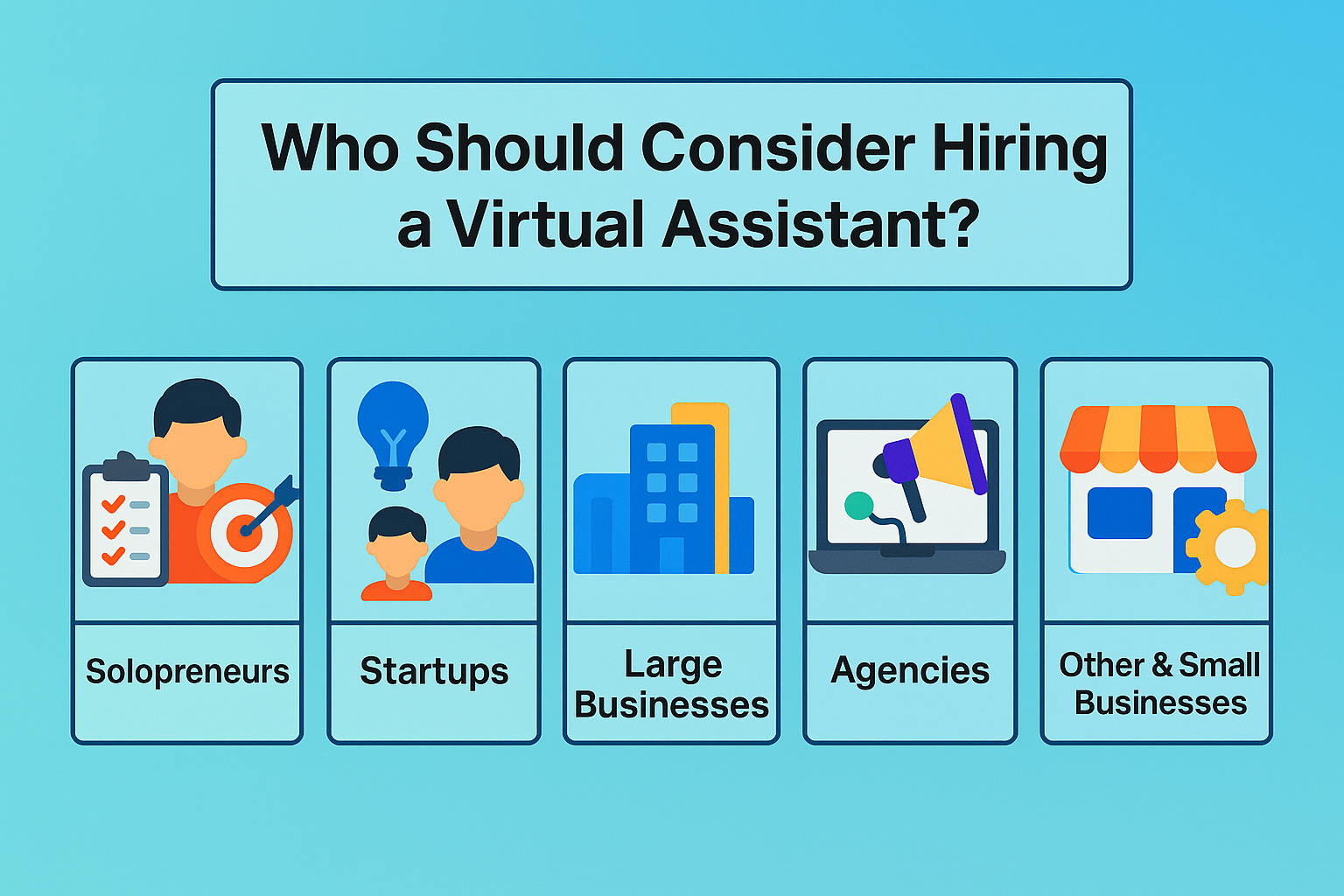
Solopreneurs
Running a solo operation can lead to an overloaded schedule and an increased risk of burnout. Tasks such as data entry, email handling, and scheduling can consume a large portion of the day, detracting from strategic planning and service delivery. A virtual assistant can assume these routine responsibilities, allowing you to focus on cultivating new opportunities, enhancing service quality, and maintaining a work-life balance.
Start-ups
Start-ups frequently operate under budget constraints and tight deadlines. Team members often juggle diverse functions, making it difficult to dedicate sufficient time to specialised tasks. Virtual assistants provide a cost-effective way to access specialised expertise, whether it involves customer support, bookkeeping, inbox management, or lead generation. Engaging remote professionals can help stretch limited funding further, enabling your core team to focus on product development and market expansion.
Large Businesses
Well-established companies can benefit from virtual assistants by offloading overflow work or tasks that fail to justify full-time in-house roles. Offshore VAs can manage admin duties, data entry, and customer service, reducing labour costs and freeing up office resources. With correct integration processes, these assistants operate seamlessly alongside internal teams, ensuring high standards of quality and efficiency without expanding your headcount.
Agencies
Marketing, creative, and consulting agencies often face fluctuating workloads. One month may see a flood of new client projects, while the next could be relatively quiet. Hiring a virtual assistant allows agencies to scale their workforce up or down in response to demand. You can engage specialists such as copywriters, graphic designers or administrative support to meet tight deadlines and deliver consistent results without the long-term commitment of permanent hires.
Small Business
For small businesses, juggling numerous tasks, missing deadlines, or overlooking details can harm their reputation and growth. A virtual assistant can tackle everyday jobs like data entry, meeting scheduling, and client follow-ups, helping to streamline operations and boost productivity. This additional support lightens the load and enables you to concentrate on core activities that drive profit and customer satisfaction.
Benefits of Hiring a Virtual Assistant
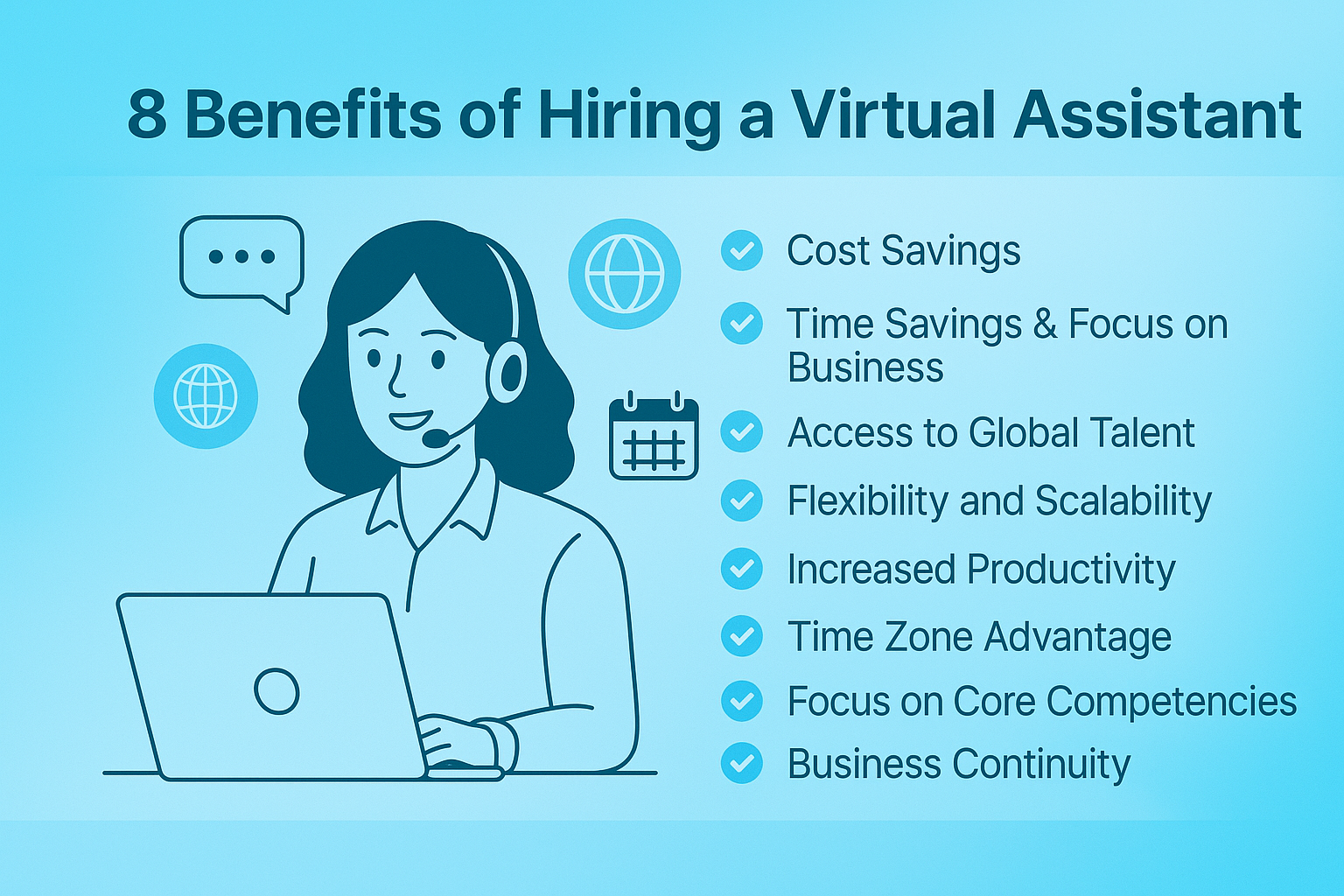
Outsourcing routine duties to remote professionals can transform how your business operates. If you hire virtual assistants, you can access experienced support for calendar coordination, email management and social media oversight. This model reduces pressure on in-house resources and delivers clear returns on investment. Overseas experts—especially those based in the Philippines or India—offer competitive rates without compromising standards. Small enterprises, start-ups and larger firms can all benefit from flexible help that aligns with changing workloads, allowing core teams to concentrate on revenue-generating activities and strategic growth.
➤ Cost Savings
One of the most significant advantages of engaging a virtual assistant is reduced labour expenses. Employing a local full-time team member in Australia requires payment of salary, superannuation, paid leave and workers’ compensation, as well as investment in office space and equipment. These costs accumulate rapidly and can strain budgets, particularly for small-scale operations.
Offshore assistants typically charge fixed monthly charges. While the typical full-time wage in Australia is about AU$1,770 per week, a skilled VA might represent only a small portion of that figure. This arrangement removes long-term contracts and benefit obligations, creating a cost-efficient support system.
➤ Time Savings and Focus on Core Business
Busy entrepreneurs often find themselves swamped by activities that keep the business running but do not drive development. Routine chores such as appointment scheduling, invoice processing and inbox management absorb hours you could spend on strategic initiatives. Delegating these jobs to a virtual assistant restores that time. Those additional hours might be invested in refining service offerings, growing your customer base or exploring new market segments. Maintaining a clear timetable allows business owners to shift from problem-solving day-to-day issues to planning for future success, contributing to improved decision-making and reduced stress levels.
➤ Access to Global Talent
Remote hiring enables access to specialists worldwide, rather than being limited by local availability. Businesses can engage skilled professionals in bookkeeping, digital marketing, social media administration, graphic design or customer support via reputable platforms. You can also engage virtual IT support assistants who handle website maintenance, CRM updates and database management. Many of these experts have collaborated with clients across diverse industries, allowing them to integrate seamlessly into existing workflows. Securing talent from markets such as the Philippines or India provides businesses of any size with strong technical and creative abilities at affordable rates, empowering them to incorporate expert input without incurring substantial overheads.
➤ Flexibility and Scalability
Adapting support levels to match fluctuating needs is straightforward with virtual assistants. You might begin initially for a month, then increase capacity as projects expand or seasonal demands peak. Conversely, if workloads ease, you can make adjustments without redundant processes. This agile model helps maintain an optimal staffing balance and effectively control costs. Since no long-term obligations are attached, your operation remains nimble and resilient. It is possible to engage multiple assistants specialising in different functions, ensuring that someone with the right expertise manages each task.
➤ Increased Productivity
Delegating routine tasks to experts contributes to smoother internal workflows and higher output. Entrepreneurs with multiple roles often find critical assignments delayed, risking missed opportunities. When a VA manages duties such as data entry, file organisation and email triage, your team can focus on high-impact initiatives. Research suggests remote workers frequently achieve greater productivity rates than their office-based counterparts due to fewer disruptions and the capacity to work during their most productive hours. Clearing low-impact chores from a schedule helps maintain momentum on projects that directly influence growth and client satisfaction, yielding measurable performance gains.
➤ Round-the-Clock Operations
Employing assistants across various time zones lets the business continue beyond local office hours. For example, an assistant in India may complete tasks overnight Australian time, so you begin each morning with fresh deliverables. Meanwhile, professionals in the Philippines often work with only a short time difference, allowing for collaboration during standard business hours and coverage at the edges of the day. This arrangement keeps projects on track and offers rapid response to customer inquiries outside typical service windows. Continuous coverage can strengthen your reputation by ensuring prompt handling of urgent matters and steady progress on key deliverables.
➤ Focus on Core Competencies
Every venture has primary capabilities that set it apart in the marketplace. Innovation can stall when core staff are diverted to administrative or support duties. A virtual assistant can assume responsibility for secondary tasks such as invoice preparation, meeting coordination and report compilation. With these activities assigned to an expert, your specialists can concentrate on product development, strategic planning or client-facing initiatives. Concentrating resources on high-value pursuits encourages superior outcomes and fosters ongoing improvement in your central offerings. This clear division of labour enhances both performance quality and employee satisfaction.
➤ Business Continuity
Remote assistants contribute to stability by operating independently of any single location. If your local office faces disruptions such as power cuts, extreme weather or network failures, offshore support teams can continue handling essential functions. Geographic diversity reduces vulnerability to local incidents and safeguards against extended downtime. Tasks like client communication, order processing and administrative maintenance can proceed without interruption. This resilience ensures that critical operations and deadlines are met despite sudden events. Businesses with geographically dispersed support maintain a stronger defence against interruptions and can keep service levels under challenging circumstances.
Everyday Tasks to Outsource to a Virtual Assistant
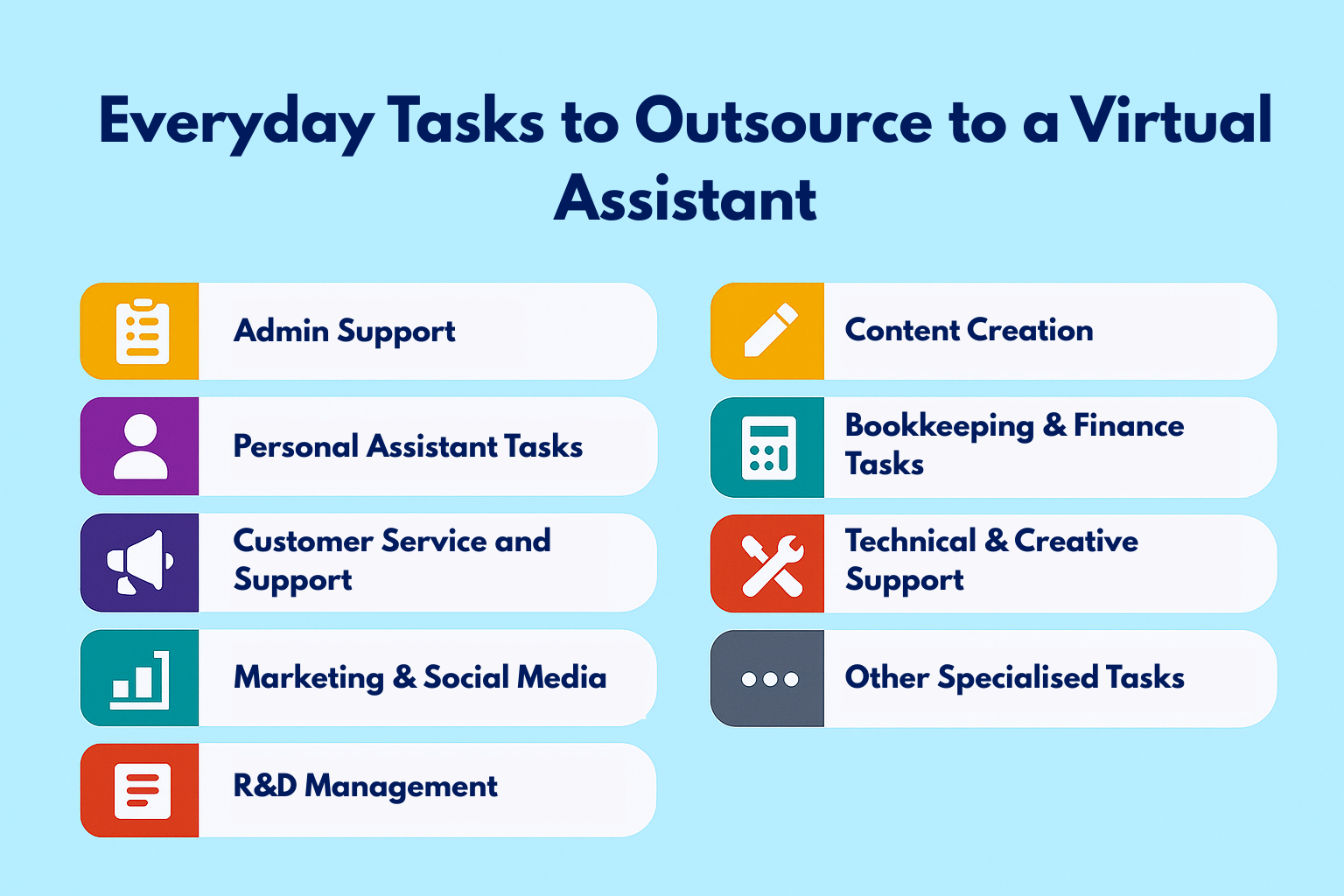
Managing daily operations can overwhelm even the most efficient business. If you hire virtual assistants, you create a flexible workforce that adapts to your needs, allowing your team to focus on core objectives. From simple administrative duties to complex technical tasks, remote professionals can step in as required while you retain control over outcomes. With a growing network of skilled individuals around the globe, organisations of all sizes now access expert help without the overheads of a permanent hire.
Here are the key categories of work commonly delegated to these remote contributors.
Administrative Support
Routine administration tasks can drain time without requiring constant supervision. Virtual admin assistants specialise in managing email inboxes by sorting incoming messages, flagging priorities and responding to standard enquiries. They oversee calendars, schedule appointments and set reminders to help you stay on track. Travel bookings, accommodation arrangements and itinerary preparation also fall within their remit, saving hours spent coordinating logistics. Additionally, these professionals handle data entry, format documents according to your brand guidelines and maintain organised digital filing systems. Delegating these chores to a remote expert ensures seamless day-to-day operations, leaving your onsite team free to tackle high-priority projects.
Personal Assistant Tasks
Juggling professional responsibilities alongside personal commitments can blur boundaries and lead to burnout. Assigning household administrative chores to your remote helper brings back balance. Your assistant can manage reminders for birthdays and anniversaries, arrange medical appointments or source the best suppliers for gifts and services. They handle subscription renewals, coordinate courier pickups and compare insurance or consumer electronics options before presenting concise summaries. Such support keeps personal affairs in order without distracting from business goals. An effective remote personal assistant ensures that neither work nor home life is neglected, maintaining harmony across both spheres.
Customer Service and Support
Prompt and professional responses define your brand reputation. Outsourcing client enquiries to a remote professional means your customers receive timely attention via email, live chat or phone, even outside standard office hours. Offshore contributors in different time zones can extend your support window, resolving common issues and escalating complex cases to your in-house team. A remote associate can monitor your VOIP system, take calls, update support tickets and follow up on outstanding requests. This continuous coverage helps maintain customer satisfaction, prevents backlogs and ensures enquiries never slip through the cracks.
Marketing and Social Media
Staying active on social platforms demands consistent effort and timely engagement. Virtual marketing assistants schedule posts across channels, interact with comments and messages and moderate community groups on sites such as Facebook and LinkedIn. They help maintain a cohesive brand voice and ensure audience interactions receive prompt attention. For email campaigns, they design and send newsletters, update subscriber lists and segment audiences to improve open rates. Some remote marketers assist with basic search optimisation by conducting keyword research and revising blog posts for better visibility. Delegating these tasks lets your in-house team focus on strategic planning and creative direction.
Content Creation
Producing fresh material can challenge even the most resourceful teams. Many remote professionals specialise in writing, editing and design. They draft blog entries, write product descriptions and proofread reports to maintain a polished appearance. A content-focused assistant can design graphics for presentations, social media or promotional materials, following your brand guidelines. Some are skilled in video editing, cutting short clips for websites and social channels, or preparing basic podcast segments. Having reliable help to manage these tasks ensures that your content pipeline remains consistent, professional and aligned with your communication goals.
Bookkeeping and Finance Tasks
Keeping financial records up to date is critical, yet routine duties often consume valuable time. Virtual bookkeeping assistants handle client invoicing, pursue outstanding payments and track business expenses. They maintain spreadsheets or use accounting software to reconcile transactions and prepare summaries for your review. Virtual finance assistants generate cash-flow forecasts, create essential reports and categorise costs for tax purposes under your accountant’s oversight. Outsourcing these responsibilities reduces errors and ensures organised, up-to-date records, enabling you to focus on strategic financial decisions rather than number crunching.
Research and Data Management
Informed decision-making relies on accurate data. Remote assistants excel at conducting market research, competitor analysis, and gathering industry insights. They identify potential leads by compiling contact details from directories or social networks and build prospect lists for sales outreach. When preparing for presentations or client meetings, they assemble research packs complete with summaries and appendices. Data management duties include updating CRM entries, cleansing customer databases and ensuring records remain consistent. Assigning these functions to a knowledgeable professional saves your core team hours of manual work and delivers reliable information for strategic planning.
Technical and Creative Support
Certain remote professionals offer specialist IT and creative skills. Virtual IT assistants update websites, publish content on platforms such as WordPress and perform basic back-end tasks. For more advanced service-desk requirements, virtual IT support assistants troubleshoot software issues, assist with webinar setups and provide remote sessions for team members. On the creative side, remote designers format brochures, edit images and produce simple animations to keep marketing collateral current. While they may not replace full-time developers or design teams, these assistants perform ongoing updates and quick fixes that maintain system functionality and brand consistency.
Other Specialised Tasks
The range of remote assistance continues to expand with niche offerings that address diverse industry needs. A remote contributor can organise interview schedules, send candidate reminders, and prepare onboarding checklists in human resources. Real estate professionals often enlist assistants to list properties online, manage client enquiries and arrange inspections. Executive-level support covers complex diary management, meeting preparation and confidential document handling. Any duty not requiring physical presence is eligible for delegation to a remote professional, enabling you to reclaim focus. Identifying and outsourcing those time-consuming but low-impact tasks ensures your onsite talent remains dedicated to high-value activities.
How Much Does It Cost to Employ a Virtual Assistant?
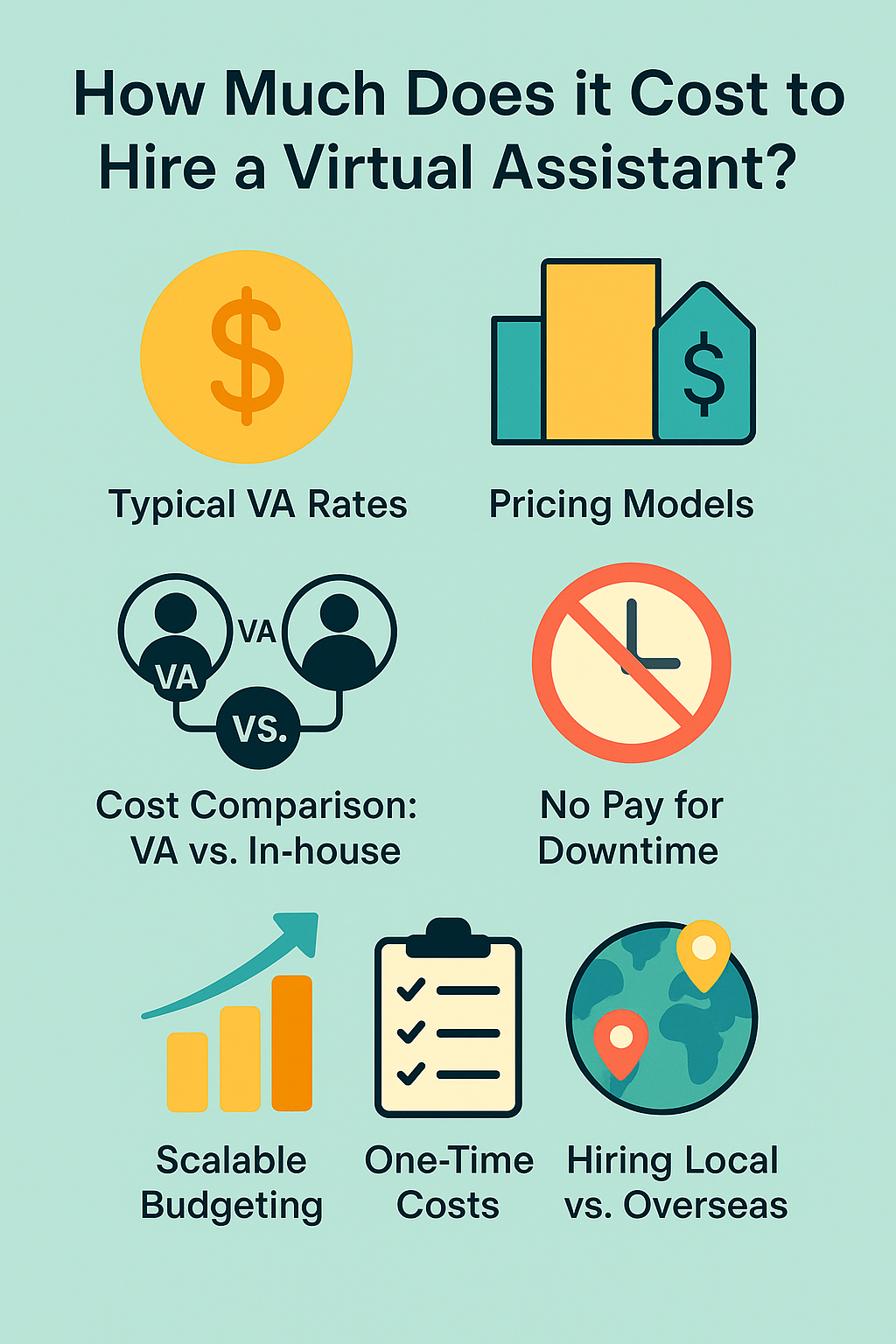
Businesses often turn to remote support to reduce expenses without sacrificing quality. Understanding what you’ll pay for a virtual assistant depends on the professional’s location, skill level, and the nature of the tasks you assign.
The following guide breaks down typical rates, payment options, and cost comparisons so you can confidently plan your budget.
➤ Typical VA Rates (Philippines and India)
Outsourcing hubs such as the Philippines and India offer a wide range of rates that undercut local Australian labour costs. Entry-level assistants handling basic tasks, such as email management or calendar coordination, charge AUD 624 per month. Those with experience in customer service, content writing, or social media management typically command around AUD 2,080 per month.
➤ Pricing Models
Virtual professionals offer flexible billing options that cater to diverse requirements. Monthly billing remains the most common, where you pay only for the actual work logged in for the month. You agree on a total cost in advance. Businesses often begin with an initial month of trial work, and once they are satisfied with the work quality, they transition to a steady workflow.
➤ Cost Comparison: VA vs In-house in Australia
Filling an in-office role has significant overheads beyond salary. For example, a full-time administrative assistant in Sydney might earn around AUD 50,000 annually, with superannuation contributions of 10.5%, paid leave entitlements and workers’ compensation insurance. You’re also responsible for office space, equipment and training. By contrast, remote professionals work from their premises using their tools. You avoid benefit payments, employment taxes and idle downtime costs. Even seasoned VAs with specialised skills remain far more affordable than the total outlay for an equivalent in-house employee.
➤ No Pay for Downtime
One clear financial advantage of a remote assistant is that billing reflects only active work. You’re never charged for breaks or slow periods when you hire virtual assistants. This contrasts with a salaried staff member who receives a fixed wage irrespective of daily output. Many assistants use time-tracking software to log hours, offering full transparency on tasks completed. That arrangement motivates efficiency, encourages completion of work within agreed-upon windows, and ensures every dollar spent produces tangible results.
➤ One-Time Costs
While most expenses are ongoing, there can be upfront investments. Onboarding a new assistant requires your time to explain processes, introduce software and provide training materials. You may need to add them to project-management platforms, subscribe to extra licences for tools like Trello or Slack, or purchase specialised apps for your workflow. If you engage via a freelance marketplace, platform fees may apply. Agencies typically charge a one-off setup fee or slightly mark-up monthly rates to cover candidate vetting and project management. These initial outlays are modest compared with the savings realised over months of efficient support.
➤ Hiring Local vs Overseas
Working in the same time zone and sharing cultural norms can simplify collaboration and communication. Local options offer convenience and ease of management for businesses with flexible budgets. Those operating on tighter margins frequently look offshore for lower rates without compromising capability. Professional assistants from the Philippines or India provide excellent cost-to-skill ratios, making remote engagement a beautiful solution for many Australian enterprises.
Why are the Philippines and India the leading Sources of Remote Support?
Sourcing assistance from overseas has become standard practice for many Australian businesses. These two nations stand out because they deliver expert help at competitive rates while aligning closely with Australian business expectations.
Here are the key reasons why these two nations have emerged as preferred destinations for outsourcing.
➤ Skilled and Cost-Effective Workforce
Both countries boast large pools of university-educated professionals fluent in English and experienced across multiple disciplines. Specialisations include administrative support, customer service, marketing, IT, and finance. Local living costs allow these experts to offer their time at rates that substantially undercut Australian wage levels. The balance of quality and affordability allows organisations to access top talent without inflating overheads.
➤ Cultural Compatibility
Effective collaboration depends on more than technical skills; it requires understanding workplace norms. Australian media and business practices strongly influence the Philippines, so professionals there quickly grasp the tone and expectations common among Australian firms. India’s long history in global outsourcing means many providers are well-versed in international standards, tools and etiquette. Both groups are comfortable adapting communication styles, whether for customer-facing duties or internal coordination, which reduces the need for lengthy explanations and revisions.
➤ Time Zone Alignment and Coverage
Smooth operations often hinge on responsive communication and timely task execution. A two- to three-hour time difference between eastern Australia and the Philippines allows same-day turnarounds and overlapping work hours for real-time check-ins. Perth operates at the same time as Manila, simplifying schedule coordination. India’s four-and-a-half-hour difference still permits afternoon overlap, which is ideal for handing off tasks at day’s end. Many professionals in these regions also offer flexible schedules, extending your operational window beyond typical 9-to-5 hours and enhancing overall efficiency.
➤ Extensive Talent Pools and Support Ecosystems
Dedicated platforms in both nations list thousands of specialists. In the Philippines, online job portals connect employers with remote assistants skilled in administration, graphic design, writing and beyond. India’s established outsourcing sector provides access to various services through agencies and freelance marketplaces. Both countries feature training centres focussed on professional development—courses in business communication, software tools, and accent neutralisation ensure candidates arrive job-ready. This comprehensive infrastructure streamlines recruitment and guarantees a supply of capable applicants prepared for diverse roles.
➤ Familiarity with Australian Business Practices
Many professionals from these regions have direct experience working with Australian clients. They understand local software ecosystems—Xero, MYOB, Trello and Slack are commonly used—and are aware of public holidays, regional time zones and peak trading periods. Agencies geared towards the Australian market often train staff in local etiquette, slang and customer service norms. This head-start reduces onboarding effort, allowing remote assistants to integrate quickly and perform effectively.
➤ Reliability and Commitment
Reputation matters when selecting remote support. Filipino assistants are known for their loyalty, punctuality, and team-oriented attitude. They often take ownership of tasks and communicate proactively to meet deadlines. Indian professionals frequently excel at technical problem-solving and data handling, reflecting the country’s strong STEM focus and outsourcing pedigree. Both groups demonstrate a readiness to address challenges independently and an eagerness to maintain high standards. While individual vetting remains essential, these nations consistently produce candidates who excel as long-term partners.
Best Practices for Hiring and Working with a Virtual Assistant
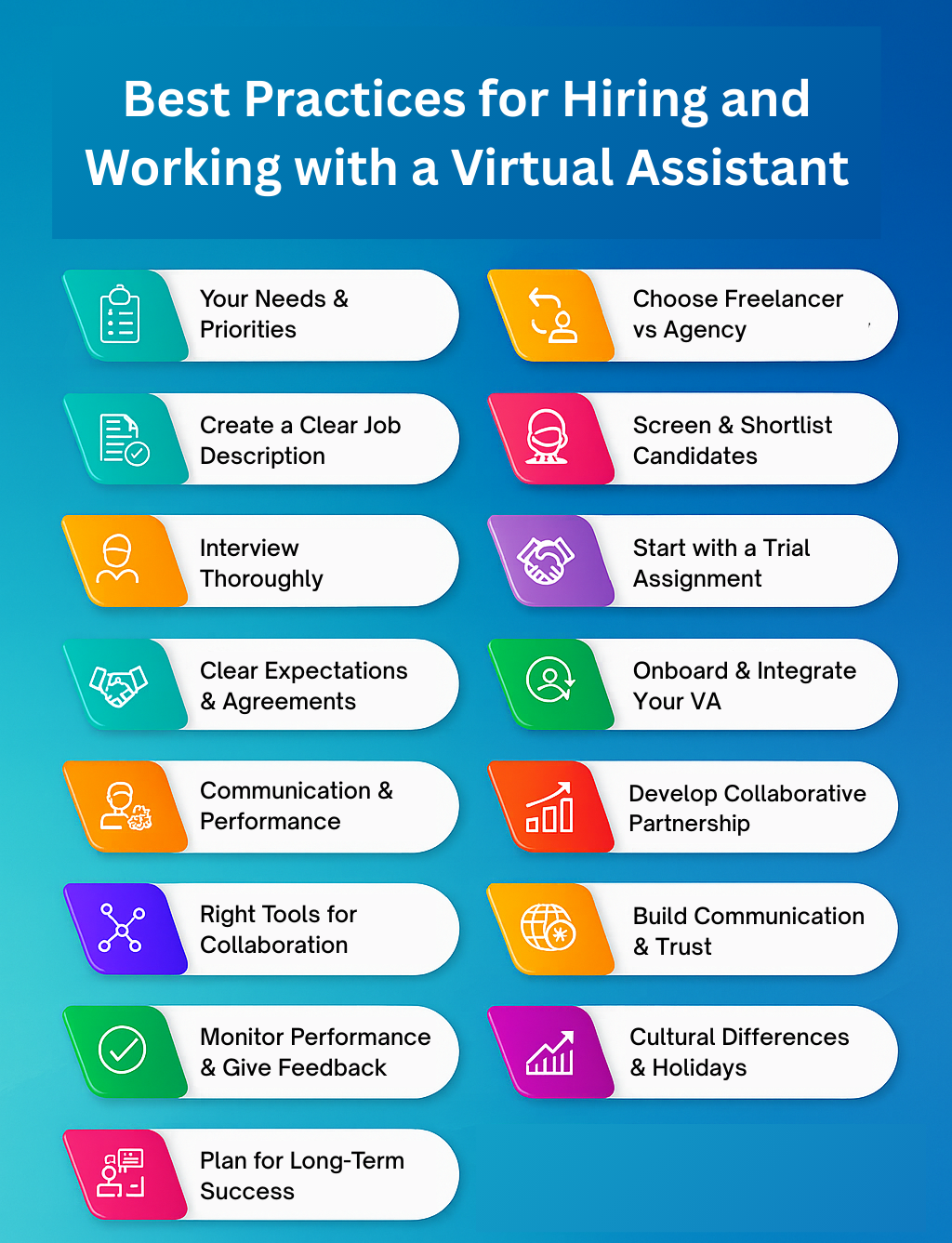
Integrating remote assistance can transform your workflow. To hire virtual assistants and establish a strong collaboration, follow these best practices:
1. Identify Your Needs and Priorities
Before beginning the search, map out your routine responsibilities and strategic projects. Keep a simple log over one or two weeks, noting how much time each task occupies and its impact on your objectives. This process helps distinguish high-value work, like client meetings and product development, from repetitive chores that can be delegated. Focus on tasks that:
- Audit Your Activities: Record daily duties and the time spent on each using a spreadsheet or time-tracking app.
- Group-Related Tasks: Cluster similar duties (for example, email triage, calendar management, and client follow-ups) to streamline handover.
- Estimate Time and Budget: Decide how many hours per month you can allocate to remote support and set a realistic budget.
- Define Clear Outcomes: Specify what success looks like for each task (for instance, an empty inbox by day’s end or social posts scheduled a week ahead)
A thorough needs assessment ensures you brief candidates accurately.
2. Choose the Right Hiring Model (Freelancer vs Agency)
You can engage an independent professional or partner with an agency. Direct freelancers offer flexibility in rate negotiation and closer control over selection. Platforms such as Upwork or specialised virtual assistant sites allow you to review portfolios and client ratings and negotiate terms directly.
On the other hand, an agency handles candidate vetting, contracts, timesheets and even performance management. While agency fees may be higher, they often guarantee a replacement if the match is not ideal. Your choice should reflect how much time you can invest in recruitment and whether you prefer a hands-on approach or a managed service.
3. Create a Clear Job Description
A precise brief attracts candidates who fit your needs from the outset. Include:
- Role Summary: One or two sentences outlining the position’s purpose.
- Key Responsibilities: List tasks with estimated hours, such as 15 hours per week for inbox management and appointment scheduling.
- Required Experience & Skills: Proficiencies in technical areas, such as Xero bookkeeping or WordPress publishing, and soft skills, including excellent written English, are required.
- Availability and Time Zone: Specify overlap requirements, such as “at least two hours of overlap with AEST for daily check-ins.”
- Tools and Systems: Name platforms you use (Slack, Asana, Shopify, etc.).
- Application Instructions: Request work samples or a brief proposal outlining their approach to a representative task.
This detail helps filter out unsuitable applicants and speeds up the screening process.
4. Screen and Shortlist Candidates
Once applications arrive, follow a structured review:
- Review Proposals: Match skills and experience to your priorities, and note clarity of response.
- Check Portfolios and References: Ask for examples of similar work and seek brief feedback from past clients.
- Assess Communication: Evaluate responsiveness and attention to detail through a short scenario or written exercise.
- Identify Red Flags: Beware applicants who miss key instructions or respond with generic replies.
Shortlist three to five individuals who meet your criteria for interviews or trial tasks.
5. Interview Thoroughly (and Look for Communication Skills)
A brief video or voice call of 15–30 minutes helps confirm fit:
- Technical Experience: Ask, “Which calendar-management tools have you used, and how did you structure scheduling for multiple executives?”
- Availability and Workload: Clarify, “Can you commit to regular hours and maintain at least two hours of overlap with AEST?”
- Communication Preferences: Explore, “Do you prefer Slack, email or another platform for day-to-day updates?”
- Scenario Questions: Pose, “How would you handle a client email that requires urgent escalation?”
- Work Environment: Confirm they have a reliable internet connection and a dedicated workspace.
Assess not only content but also clarity, professionalism and eagerness to contribute.
6. Start with a Trial Assignment
A paid trial reveals how they perform under real conditions:
- Choose a Representative Task: Select work you assign regularly, such as drafting social media captions or managing a day’s inbox.
- Provide Detailed Instructions: Share templates, access credentials and examples of expected format or tone.
- Set Clear Deliverables: Define output (for instance, “Prepare five social posts scheduled in Buffer by the end of the trial”).
- Allocate Limited Hours: Fund a two- to three-hour trial to measure efficiency and quality of work.
- Offer Prompt Feedback: Discuss strengths and areas for improvement immediately after completion.
This exercise clarifies reliability, attention to detail and ability to follow directions.
7. Set Clear Expectations and Agreements
Formalise the working arrangement in writing:
- Duties and Deliverables: Outline daily, weekly and monthly tasks.
- Working Hours and Availability: Specify core overlap times and response expectations.
- Communication Methods and Check-Ins: Agree on update frequency (daily email summary or weekly video call).
- Feedback Process: Establish how revisions will be handled and questions answered.
- Payment Terms: Clarify monthly fixed rate, billing cycle and payment platform (i.e. PayPal, Wise or escrow).
- Confidentiality: Include an NDA if they handle sensitive data.
A written agreement prevents misunderstandings and promotes accountability.
8. Onboard and Integrate Your VA
Effective induction accelerates productivity:
- Access and Tools Setup: Create company email; grant access to project boards, shared drives and communication channels.
- Team Introductions: Schedule a welcome call with key staff to explain workflows and reporting lines.
- Standard Operating Procedures (SOPs): Provide written guides, checklists and templates for recurring tasks.
- Training Sessions: Offer screen-share walkthroughs of specialised software or internal systems.
- Business Context: Share your mission, customer profiles and brand guidelines to inform decision-making.
- Early Feedback: Hold a review after the first week to refine processes and address questions.
A comprehensive onboarding process encourages independence and a sense of belonging.
9. Maintain Ongoing Communication and Performance Reviews
Regular check-ins reinforce alignment and continuous improvement:
- Weekly or Biweekly Meetings: Discuss completed work, upcoming priorities and any obstacles.
- Monthly Performance Reviews: Evaluate against agreed KPIs, identify training needs and adjust workload as necessary.
- Continuous Improvement: Invite suggestions for process enhancements or tool optimisation.
Use shared dashboards or spreadsheets to track progress transparently and keep both parties accountable.
10. Develop a Collaborative Partnership
Cultivate loyalty and motivation by involving your VA in broader initiatives:
- Invite Participation in Planning: Include them in project-planning sessions or brainstorming calls.
- Celebrate Milestones: Acknowledge successful project completions or consistent performance.
- Offer Growth Opportunities: Provide chances to learn new tools or take on fresh responsibilities.
A supportive environment encourages a long-term partnership that adapts to evolving business needs.
11. Use the Right Tools for Collaboration
Efficient cooperation with remote team members relies on choosing and implementing suitable platforms. When hiring a virtual assistant, investing time in selecting tools that support clear communication, task tracking and secure data sharing creates a foundation for a productive partnership, regardless of geographic separation.
Here are some practical tools to consider:
Establishing a coherent digital workspace means identifying systems that cover every aspect of your collaboration, from planning to execution and reporting. Each tool category plays a distinct role in streamlining workflows, preserving transparency and preventing misunderstandings.
Project Management
Tools like Trello, Asana, or Monday.com are perfect for assigning tasks, setting deadlines, and tracking progress. You can create a visual task list that’s easy to follow, and your VA will always know what’s next in the queue. It’s a simple way to stay organised and avoid things slipping through the cracks.
Communication
While email is fine for formal updates, apps like Slack or Microsoft Teams are great for quick chats or daily check-ins. For real conversations, schedule short catch-up calls using Zoom or Google Meet — even a 15-minute weekly meeting can go a long way. In the first week or two, you may want to check in daily to help get things started.
File Sharing
Use cloud storage platforms like Google Drive, Dropbox, or OneDrive to share documents, reports, templates, and resources. Your VA will always have access to the latest versions, and you can both make updates in real-time without the need for email back-and-forth.
Time Tracking (if needed)
If you’re paying by the hour and want some oversight, consider tools like Toggl Track for a simple, honour-based approach. If you’re using a platform like Upwork, it comes with built-in tracking and screenshot tools. It’s okay to start with more monitoring at the beginning and ease off as trust builds.
Password Management
To securely share access to your online accounts, use a password manager like LastPass or 1Password. These tools enable you to share logins without revealing the actual password, and you can revoke access at any time if the contract ends or roles change.
By setting up these systems early on, you create a virtual workflow that runs smoothly. It prevents confusion, lost tasks, or “I didn’t see that” moments — and makes remote collaboration just as effective as working side by side.
12. Establish Communication and Build Trust
Transparent and regular dialogue forms the backbone of any remote collaboration. Since you and your assistant will not share a physical workspace, you must intentionally create opportunities for connection, clarity and mutual accountability. Begin by agreeing on a routine for progress updates that suits your workflow. A concise end-of-day email summarising completed tasks, outstanding items and any questions keep you in the loop without requiring constant check-ins. Meanwhile, a brief weekly review conducted via video call can cover broader objectives, shifting priorities and performance impressions. This rhythm of communication saves you from chasing status reports and gives your assistant the confidence to operate with autonomy.
Your responsiveness during the early stages signals that questions will be answered swiftly and instructions refined as needed. If a task is returned with outcomes that differ from your expectations, address discrepancies immediately with constructive feedback. Focus on specifying the adjustments required rather than dwelling on mistakes so your assistant can fine-tune their approach and meet your standards. That feedback loop is crucial for building trust, as professionals appreciate knowing precisely how to improve their work and feel recognised for effort when corrections are delivered respectfully.
Cultural sensitivity is vital in remote partnerships, especially when your assistant comes from a background where direct disagreement can be uncomfortable. Encourage open dialogue by emphasising that seeking clarification, voicing concerns, or proposing alternative solutions is acceptable. Creating a psychologically safe environment diminishes the risk of tasks proceeding under false assumptions and fosters genuine collaboration. As your assistant gains’ familiarity with your preferences and style, grant them progressively greater responsibility and refrain from micromanagement. Focusing on outcomes rather than every individual step demonstrates confidence in their capabilities and further cements a relationship built on respect.
Over time, consistent dialogue and positive reinforcement reinforce a shared sense of purpose. Your assistant will come to understand not only what you need but also why those tasks matter. This deeper comprehension fuels proactive problem solving, with your assistant anticipating requirements and contributing suggestions rather than waiting for detailed instructions. Such trust and teamwork unlock the full potential of remote work, delivering efficiency gains that mirror the benefits of an onsite team member.
13. Monitor Performance and Give Feedback
Maintaining strong standards of quality and reliability depends on defining clear performance criteria and reviewing them regularly. Agree on a limited set of practical measures to track progress: turnaround time for customer replies, error rate in document formatting or the volume of tasks completed within the agreed timeline. Simple metrics such as daily email resolution or weekly scheduling milestones provide tangible targets without overwhelming your assistant with excessive data monitoring. When you understand how you will assess performance, each party can focus on meeting those ideals rather than guessing what success looks like.
Schedule a formal performance discussion after the first month of collaboration to reflect on achievements, challenges and any necessary process refinements. Use specific examples from recent work to highlight strengths and pinpoint areas for development. Offering praise for well-executed tasks fosters motivation and reinforces the behaviours you value. If errors emerge, present them neutrally and propose practical steps for improvement. Encourage your assistant to self-evaluate, noting aspects they found straightforward and areas where they would welcome training or resource updates. This two-way feedback cultivates a sense of joint ownership over outcomes and fosters continuous growth.
Between formal reviews, maintain an open channel for real-time feedback. When you notice a minor issue, such as an overlooked detail or a minor miscommunication, address it promptly through the agreed communication medium. Tackling matters as they arise prevents small inefficiencies from accumulating into larger concerns, signalling that you remain engaged in the partnership. Over time, as your assistant consistently meets or exceeds expectations, you can reduce the frequency of formal check-ins and trust them to deliver autonomously, freeing you to concentrate on strategic priorities.
A sustained focus on performance and feedback ensures that your remote collaboration remains dynamic and aligned with evolving objectives. As your assistant becomes more familiar with your business rhythms, adapt performance standards to reflect higher levels of responsibility. This progression validates their professional growth and maintains high morale, solidifying a relationship that scales with your ambitions.
14. Respect Cultural Differences and Holidays
Working across borders introduces cultural richness but necessitates awareness of varying customs, communication styles and public holiday calendars. Appreciating your assistant’s background signals respect and builds rapport, paving the way for smoother collaboration. Take the initiative to learn about significant observances in their country. For example, your assistant in the Philippines may honour Holy Week with several days off, while a team member in India might celebrate Diwali or Holi. Recognising these events and planning around them prevents surprise absences and demonstrates that you value their traditions as much as your own.
Discuss leave policies openly from the beginning, clarifying how you will handle national and regional holidays in your business calendar. This conversation allows you to anticipate coverage gaps and adjust deadlines or resource allocations in good time. Beyond official holidays, simple acts of acknowledgement can have a powerful effect. Sending a festive greeting or wishing them well for a major festival shows genuine care and nurtures deeper bonds.
Language preferences and communication nuances also warrant sensitivity. In some cultures, polite forms of address convey respect, while others may favour a more informal style. Invite your assistant to share their preferences for greeting styles or meeting etiquette. Simple gestures such as wishing them a good morning or asking after their family create a sense of belonging and encourage loyalty. When your assistant feels understood and respected, they are more likely to invest discretionary effort in anticipating needs and enhancing your business outcomes.
Ultimately, an active stance on cultural respect enriches the working environment, elevates mutual trust and transforms a transactional arrangement into a collaborative partnership. Acknowledging differences with warmth rather than avoidance lays the foundation for enduring professional relationships.
15. Plan for Long-Term Success (or Transition)
As your remote assistant settles into their role and establishes a track record of reliable support, expanding their responsibilities and integrating them more fully into your business operations becomes possible. Share evolving goals and project roadmaps so they understand where their contributions fit in the broader picture. Invite them to create process documentation for recurring tasks, compiling step-by-step guides that serve as training resources for future hires and as a reference for maintaining consistency. Empowering them to map out workflows reinforces their expertise and streamlines future recruitment by providing a ready-made operation manual.
When growth demands a more hands-on deck, consider enlisting your assistant to help onboard new team members. Their insights into daily processes and organisational culture make them ideal mentors for fresh recruits. As they guide newcomers through established procedures, your assistant consolidates their role as a senior collaborator and strengthens their connection to your business’s success.
There may be times when the partnership needs to be concluded, whether due to shifting priorities, budget adjustments, or a mismatch in working styles. Endings handled with clarity and respect foster goodwill and open the door to future collaboration. Provide honest feedback on what worked well and what you could improve that honours your contributions. Offer an appropriate notice period and ensure smooth handover of documents, logins and process guides. This thoughtful closure ensures continuity for your operations and safeguards the professional reputation of both parties.
Planning for the long term or transition means treating your remote assistant not as a temporary resource but as a potential pillar of your extended team. Whether they remain in a support role for years or move on after a few months, a deliberate approach to growth, documentation, and respectful disengagement amplifies the value derived from remote collaboration.
Wrapping Up
- A productive remote partnership requires a purposeful setup, consistent communication, and genuine respect.
- Selecting the best tools for collaboration and establishing transparent routines builds a sturdy framework on which to rely.
- Regular performance monitoring and reciprocal feedback guide improvements, while cultural awareness and sensitivity strengthen trust. Charting a path for growth or a graceful exit keeps all stakeholders aligned and ensures that your business and your assistant benefit from the arrangement.
With these principles in place, you can harness the advantages of remote support to streamline operations, nurture innovation and maintain the agility needed to thrive in a competitive landscape.
 Webential